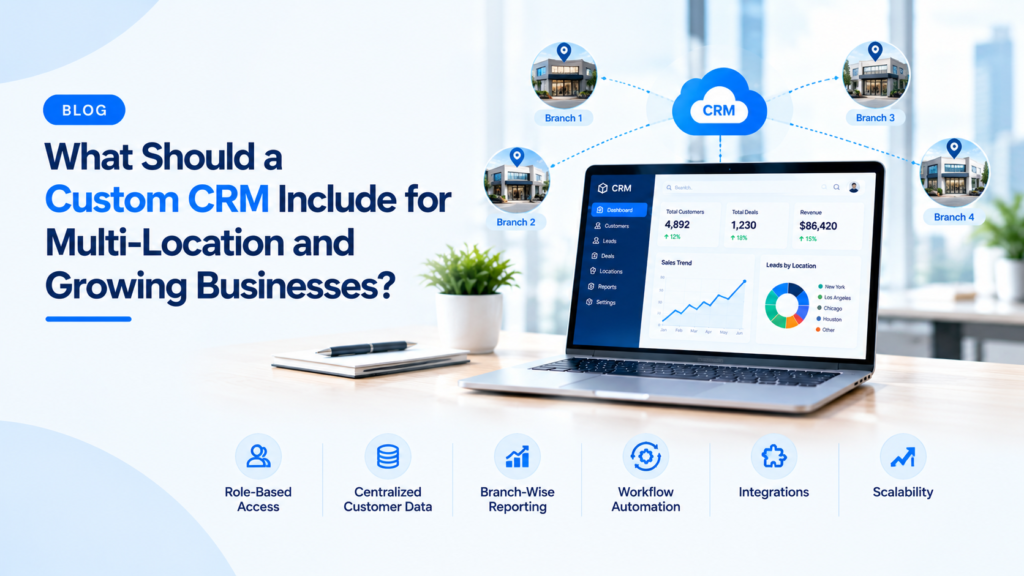
Running a business across multiple locations changes what your software needs to do entirely. A CRM built for a single-office team quietly becomes a bottleneck the moment you open a second location or start serving customers across different cities. Technology partners like Arobit have seen this transition trip up businesses that were otherwise well-prepared for growth.
The problem isn’t usually that companies lack a CRM. It’s that the one they have was built for who they were, not who they’re becoming.
Why Standard CRM Platforms Fall Short at Scale
Standard CRM platforms handle standard things well. Contact management, basic pipeline tracking, email integration — these work fine for a single-office team with a manageable customer base. Scale that up, and the cracks appear fast.
Think about a retail chain with nine locations trying to share customer profiles across branches. Or a professional services firm with offices in four cities where each team follows slightly different sales workflows. Generic tools often handle these scenarios with workarounds:
- Duplicate customer entries across branches
- Manual syncing between teams
- Region-specific spreadsheets running alongside the CRM
That’s not a software problem. That’s a signal the software was never designed for this situation. Custom CRM software development services exist precisely to address this mismatch. Rather than bending your operations to fit a product, a custom-built system fits your operations instead.
Unified Data Architecture With Location-Level Control
The first thing a multi-location CRM must get right is data architecture. Customer records, interaction history, and active deals all need to be accessible from anywhere. But centralized doesn’t mean uniform.
Different locations often have:
- Different pricing structures
- Location-specific service offerings
- Varying compliance requirements based on geography
A well-designed system handles this through role-based data access combined with location-specific configurations. A customer visiting your Mumbai office and your Delhi office should appear as the same customer in your system, with her full history visible. But the workflows triggered after each interaction might differ between the two branches. That level of nuance doesn’t come out of the box.
Structured Pipeline Management Across Distributed Teams
When multiple sales teams work simultaneously across locations, pipeline management gets complicated. Who owns which lead? How do you stop two reps in different cities from pursuing the same prospect?
These aren’t hypothetical problems. They happen in growing businesses regularly. A custom CRM addresses this by building clear ownership rules directly into the system. Key features that make a difference here:
- Automated lead assignment based on geography or industry vertical
- Regional dashboards so managers see their numbers without digging through global data
- Escalation rules that notify the right person when a deal stalls at a certain stage
Growing businesses rarely have time for manual follow-up on every stuck deal. The system should handle that automatically.
Seamless Integration With Your Existing Technology Stack
No CRM lives in isolation. A business operating across multiple locations likely runs accounting software, inventory tools, customer support platforms, and possibly an ERP system. A custom CRM needs to connect with these systems cleanly, not replace them.
This is where off-the-shelf products often struggle. Their integration options are limited to whatever their marketplace supports. CRM software development done right means the system connects with your existing stack, whether that’s Tally, SAP, a proprietary billing tool, or something industry-specific.
When a customer places an order at one location, that data should flow into billing, update inventory, and reflect in your support queue. No one should transfer it manually. For a growing business, that kind of automation keeps operations from fracturing under their own weight.
Reporting Built Around Business-Specific Decisions
Generic CRM dashboards are built around generic KPIs. A multi-location business has more specific questions:
- Which branch converts the most leads?
- Where is the average deal cycle longest?
- Which customer segment drives repeat purchases in which region?
Custom reporting lets every stakeholder see exactly what they need. Regional managers get granular views. Leadership gets aggregated numbers. Finance gets exportable reports for board-level presentations. Nobody drowns in data they didn’t ask for.
A Scalable Foundation That Grows With the Business
One of the quieter reasons businesses outgrow their CRM is they made a good choice for where they were, not where they were going. A system handling 50 users comfortably may slow down at 300. A database built for one product line may struggle under three.
Custom CRM software development done with growth in mind accounts for this upfront. What that looks like in practice:
- Modular architecture so new features plug in without rebuilding the core
- Cloud-native infrastructure that scales with your user count
- Thoughtful database design that doesn’t require a full rebuild at every milestone
Mobile Accessibility for On-Ground and Field Teams
Field teams, traveling managers, and reps visiting client sites all need access that works on a phone. This seems obvious. Yet mobile CRM experiences are often an afterthought.
A purpose-built mobile experience means:
- Field reps update notes immediately after a site visit
- Managers approve deals without being at a desk
- No one waits until they’re back at the office to act on something urgent
A squeezed-down desktop interface on a smaller screen isn’t mobile access. It’s a frustration.
Preparing for the Next Phase of Growth
Growing businesses now expect features that were once reserved for large enterprises. AI-driven lead scoring, predictive analytics, and workflow automation are standard asks. Building on a custom foundation makes adding these capabilities far more straightforward than retrofitting them onto a rigid platform.
A business that invests in a CRM designed for its real complexity today is building infrastructure that won’t become a limitation in two years.
Conclusion
There’s no single template for what a multi-location CRM should look like. Every growing business carries its own operational complexity. What matters is whether the software reflects that complexity or simplifies it into something that looks clean but doesn’t actually work.
The team at Arobit approaches custom CRM software development services with that distinction in mind. The businesses that grow well usually build infrastructure intentionally. Tools that scale with them, not against them.
FAQs
- How long does it take to build a custom CRM for a multi-location business?
Most mid-sized projects take between three to six months from requirements gathering to deployment. Businesses with complex integrations or unusual workflows may take longer. A phased rollout, starting with core features and adding modules over time, is a practical approach for most organizations.
- Is a custom CRM more expensive than an off-the-shelf platform?
The upfront cost is usually higher. But the comparison isn’t straightforward. Off-the-shelf platforms carry ongoing licensing fees, per-user costs, and often significant implementation expenses. A custom-built system has a higher initial investment but lower long-term overhead. You also don’t pay for features you’ll never use.
- Can a custom CRM replace an existing system without disrupting operations?
Yes, and this requires planning from the start. Good development includes a data migration strategy, a period where both systems run in parallel, and location-specific training for each team. Disruption during transition is a valid concern. With proper project planning, it’s also manageable.