In today’s digital business environment, data storage, application performance, and infrastructure reliability are essential for maintaining smooth operations. Whether you operate an e-commerce platform, manage enterprise applications, or store large volumes of business information, choosing the right server infrastructure can directly affect your organization’s efficiency.
Two popular infrastructure solutions are storage servers and dedicated servers. Although both provide server resources for business operations, they are designed to address different requirements.
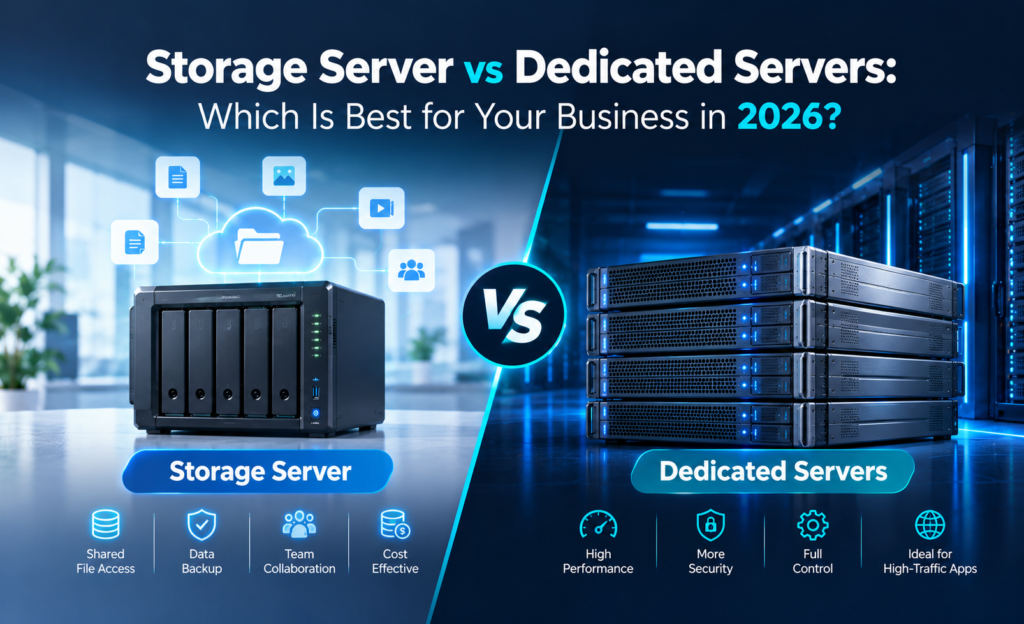
A storage server primarily focuses on storing, organizing, securing, and retrieving data. Dedicated servers provide exclusive physical computing resources for running applications, websites, databases, and other workloads.
Understanding their differences can help businesses make better infrastructure decisions. In this guide, we explore storage servers, dedicated servers, their benefits, key differences, and how to select the best option for your organization.
What Is a Storage Server?
A storage server is a physical or virtual server designed primarily to store, manage, and provide access to digital information over a network.Unlike a general-purpose application server, a storage server is usually optimized for storage capacity, data availability, throughput, or a combination of these requirements.Storage servers are commonly used by businesses that need centralized storage for important documents, databases, media files, backups, and large datasets.
Key Features of Storage Servers
1. High Storage Capacity
Storage servers can support multiple HDDs, SSDs, or NVMe drives, depending on their hardware configuration.Businesses can select capacity-focused storage for large archives or performance-focused storage for frequently accessed data.
2. Centralized Data Management
A storage server allows organizations to manage files and information from a centralized infrastructure.Authorized employees and systems can access the required data through supported network protocols.
3. Data Protection
Storage servers may support RAID configurations, encryption, access controls, snapshots, and automated backup systems.These features help reduce operational risks when configured correctly.
4. Flexible Storage Expansion
Depending on the server architecture, organizations may increase storage capacity by adding drives, storage enclosures, or additional servers.
5. Network Accessibility
Storage servers can provide file or block storage using technologies such as SMB, NFS, and iSCSI.This makes them useful for business collaboration and application infrastructure.
What Are Dedicated Servers?
Dedicated servers are physical servers allocated exclusively to a single customer or organization.
Unlike shared hosting environments, dedicated servers do not share their underlying physical CPU, RAM, and storage resources with unrelated hosting customers. This gives organizations more control over their infrastructure configuration, operating system, security policies, and application environment.
Dedicated server hosting is particularly suitable for businesses that require predictable performance and dedicated computing resources.
Key Features of Dedicated Servers
1. Exclusive Hardware Resources
Businesses receive dedicated access to the physical hardware allocated to their server.
2. High Performance
Dedicated CPU cores, RAM, and storage resources can support demanding enterprise applications and high-traffic websites.
3. Full Administrative Control
Organizations can install operating systems, configure software, and customize server settings according to their requirements.
4. Customizable Storage
Dedicated servers can be configured with SSD, NVMe, or HDD storage depending on availability and workload requirements.
5. Improved Workload Isolation
Physical resource isolation reduces interference from other customers using the same server hardware. However, security still depends on proper configuration, patch management, monitoring, and access controls.
Storage Server vs Dedicated Servers: Key Differences
Although storage servers and dedicated servers can use similar physical hardware, their primary purpose is different.
| Feature | Storage Server | Dedicated Server |
|---|---|---|
| Primary Purpose | Data storage and management | Application and workload hosting |
| Main Priority | Capacity, durability and throughput | Processing power and performance |
| Typical Hardware | Multiple storage drives | CPU, RAM and configurable storage |
| Best For | Backups, files and archives | Websites, databases and applications |
| Storage Expansion | Often storage-focused | Depends on server configuration |
| Administrative Control | Depends on deployment | Typically full root/admin access |
| Common Applications | NAS, backup repositories | ERP, web hosting and virtualization |
| Pricing | Based on capacity and configuration | Based on complete hardware resources |
An important distinction is that a storage server can also be a dedicated server. The terms are not mutually exclusive. A dedicated physical server optimized for file storage or backups can serve as a dedicated storage server.
Benefits of Using a Storage Server for Business
1. Centralized Business Data
Organizations generate substantial amounts of digital information, including financial documents, customer records, application data, and media files. A storage server provides a centralized environment for organizing and accessing this information. This reduces dependence on individual employee devices and scattered storage systems.
2. Reliable Backup Infrastructure
Businesses need dependable backup systems to protect against accidental deletion, hardware failures, ransomware attacks, and operational errors. A storage server can act as a backup destination for websites, databases, virtual machines, and business applications. For stronger protection, organizations should maintain independent backup copies, including an off-site or offline copy.
Important: RAID improves resilience against certain drive failures, but RAID alone is not a replacement for backups.
3. Improved Collaboration
Storage servers can provide shared access to business documents and project files. Employees can access authorized resources according to organizational permissions. This is particularly useful for businesses with distributed teams or large internal file repositories.
4. Cost-Effective Data Management
Businesses with large storage requirements can choose capacity-oriented hardware rather than paying for unnecessary processing resources. For example, archival data may benefit from high-capacity HDD storage, while frequently accessed transactional data may require SSD or NVMe performance.
5. Scalability for Growing Data
As an organization grows, its data storage requirements increase. A properly planned storage architecture allows businesses to expand capacity while considering future performance, redundancy, and backup needs.
Benefits of Dedicated Servers for Enterprise Applications
1. Consistent Computing Performance
Dedicated servers offer exclusive hardware resources, reducing contention from unrelated customers. This is useful for enterprise applications that require predictable CPU, memory, and storage performance.
2. Greater Infrastructure Control
Businesses can configure their operating system, applications, network rules, and storage architecture. This flexibility supports specialized workloads that may not fit standard shared hosting environments.
3. Suitable for High-Traffic Websites
E-commerce platforms, business portals, and resource-intensive websites can benefit from dedicated computing resources. With suitable optimization, dedicated servers can support substantial traffic volumes and complex application requirements.
4. Enterprise Database Hosting
Dedicated servers are commonly used for database applications that require predictable resource availability. Administrators can configure database software, storage performance, and system memory according to workload requirements.
5. Virtualization and Private Infrastructure
Organizations can use dedicated servers to deploy virtualization platforms, development environments, and private application infrastructure. This allows businesses to maintain control over multiple internal workloads on dedicated physical hardware.
Popular Use Cases for Storage Servers
Enterprise Data Backup
Organizations can use storage servers to maintain backup copies of important business information. Scheduled backup tasks help reduce the risk of losing critical operational data.
Media and Content Storage
Creative agencies, video production businesses, and digital marketing teams often manage large files. Storage servers provide centralized infrastructure for managing video footage, design files, and digital assets.
File Sharing
A storage server can provide shared file access for authorized employees and business applications.
Data Archiving
Organizations that must retain historical data can use storage servers as part of a long-term archival strategy. Retention requirements, redundancy, integrity checks, and recovery procedures should be considered.
Surveillance Storage
Businesses using IP cameras and monitoring systems may require substantial storage capacity for recorded footage. Storage servers can support surveillance repositories when configured for the expected recording volume and retention period.
Popular Use Cases for Dedicated Servers
E-Commerce Website Hosting
Dedicated servers provide computing resources for online stores that manage product catalogs, customer accounts, and transactional workloads.
ERP and CRM Applications
Businesses can use dedicated infrastructure to host enterprise resource planning and customer relationship management software.
Database Servers
Applications requiring predictable CPU, memory, and disk performance can benefit from dedicated hosting.
High-Traffic Web Applications
Dedicated infrastructure is suitable for applications with significant processing requirements or complex backend operations.
Private Cloud and Virtualization
IT teams can deploy internal virtual machines and development environments using dedicated server hardware.
SSD vs HDD vs NVMe: Which Storage Technology Should You Choose?
Storage technology is an important consideration when selecting a server.
HDD Storage
Hard disk drives are commonly used for capacity-focused workloads, including large archives and backup repositories. They generally offer lower cost per terabyte than enterprise SSD storage.
SSD Storage
Solid-state drives provide faster access times than mechanical hard drives. They are suitable for applications requiring responsive storage and regular data access.
NVMe Storage
NVMe drives communicate through high-performance interfaces designed for flash storage. They can deliver high throughput and low latency, making them appropriate for demanding databases, application workloads, and performance-sensitive infrastructure.
The best option depends on your storage capacity, access patterns, performance requirements, and budget.
How to Choose the Right Server for Your Business
Before selecting a storage server or dedicated server, evaluate the following factors.
Storage Capacity
Estimate how much data your business currently stores and how quickly that volume is expected to grow.
Include additional capacity for redundancy, snapshots, backups, and future expansion.
Processing Requirements
If your primary goal is application hosting, CPU performance and memory capacity may be especially important.
For file archives and backup repositories, storage capacity and throughput may be higher priorities.
Data Security
Evaluate encryption, access permissions, firewall configuration, operating system updates, and monitoring capabilities.
Backup and Recovery
Choose an infrastructure design that supports reliable backups and periodic restoration testing.
Network Performance
Consider upload and download speeds, data transfer allowances, latency, and connectivity requirements.
Total Cost
Compare hardware rental fees, storage capacity, bandwidth, backup costs, software licensing, and administration expenses.
Dedicated Server Hosting in India with Webyne
Choosing a reliable hosting provider is an important step in building business infrastructure.
Webyne offers dedicated server hosting solutions designed for organizations that need exclusive hardware resources, customizable configurations, and dependable infrastructure. Businesses can explore Intel Xeon, AMD EPYC, and Ryzen-based dedicated server options for different performance requirements.
Webyne’s published dedicated server offerings include features such as:
- Dedicated physical server resources
- Full root or administrator access
- SSD and NVMe storage options
- Custom RAID options on supported configurations
- Linux and Windows hosting options
- 24/7 technical support
- 99.95% uptime SLA on advertised dedicated server plans
- Hosting infrastructure in India
Organizations building storage-focused infrastructure can discuss drive capacity, redundancy, and backup requirements with Webyne before selecting a dedicated server configuration.
For current plans and hardware availability, visit Webyne’s dedicated server hosting page.
Which Should You Choose: Storage Server or Dedicated Server?
Choose a storage server when your main requirements involve centralized file storage, backup repositories, large datasets, or data archiving.
Choose a dedicated server when your business needs exclusive computing resources for websites, databases, ERP software, private infrastructure, or demanding applications.
If your organization requires both computing performance and substantial data storage, a storage-optimized dedicated server may be appropriate.
Your final decision should consider actual workload requirements rather than relying on server category names alone.
Frequently Asked Questions
1. What is a storage server?
A storage server is a system designed to store, organize, manage, and provide access to digital information across a network.
2. What is the difference between storage servers and dedicated servers?
Storage servers focus primarily on data storage and access, while dedicated servers provide exclusive physical hardware for a broad range of computing workloads.
3. Can a dedicated server be used as a storage server?
Yes. A dedicated server can function as a storage server when configured with suitable drives, storage software, network connectivity, and data protection features.
4. Are dedicated servers secure?
Dedicated servers provide hardware isolation, but security depends on system configuration, access controls, software updates, backup procedures, and ongoing monitoring.
5. Which is better for business backups?
A storage server is often a suitable backup destination because it can be optimized for large storage capacity and data management.
For stronger data protection, businesses should also maintain independent backup copies.
6. Is NVMe storage better than HDD storage?
NVMe SSDs generally offer much faster access times and higher I/O performance than HDDs. However, HDDs may be more cost-effective for storing large amounts of infrequently accessed information.
7. Where can I find dedicated servers in India?
Webyne offers dedicated server hosting in India with different processor, memory, and storage configurations for business applications.
Conclusion
Both storage servers and dedicated servers play important roles in modern business infrastructure.
A storage server helps organizations manage and protect valuable digital information, while dedicated servers offer exclusive computing resources for demanding applications and enterprise workloads.
Rather than choosing solely by server type, businesses should evaluate their storage capacity, application performance, data protection, scalability, and budget requirements.
Looking for reliable dedicated server infrastructure in India? Explore Webyne’s dedicated servers and find a configuration suited to your business storage and computing needs.