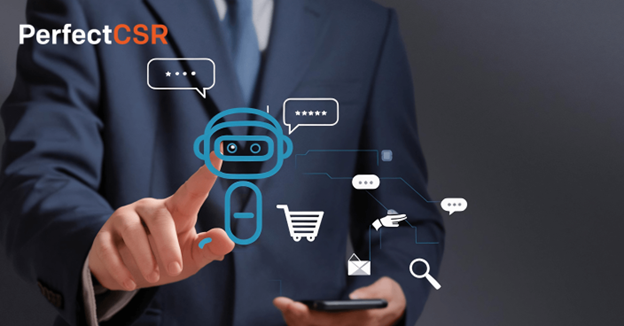
A customer service chatbot is no longer just a pop-up that answers FAQs. It now works as a support assistant, lead qualifier, sales helper, and customer experience tool.
Customers expect fast answers. Teams need lower support costs. Businesses want more leads from the traffic they already have. That is why AI-driven chatbots are becoming a serious growth channel for SaaS companies, startups, agencies, eCommerce brands, and service businesses.
Salesforce reports that AI is expected to resolve 50% of service cases by 2027, up from 30% in 2025. That shift shows how quickly AI support is moving from “nice to have” to core business infrastructure.
This article explains how chatbots improve support, where they work best, and how businesses can use them without losing the human touch.

What Is a Customer Service Chatbot?
A customer service chatbot is software that answers customer questions through live chat, website widgets, messaging apps, or support portals. Modern AI chatbots can understand intent, read business content, respond in natural language, and route complex issues to humans.
Featured snippet answer:
A customer service chatbot helps businesses answer customer questions automatically. It can handle FAQs, order queries, lead capture, appointment booking, and basic troubleshooting. AI-powered versions learn from website pages, documents, and support content to provide faster, more relevant responses.
Older bots followed fixed scripts. Newer AI bots understand context. They can answer follow-up questions, support multiple languages, and guide users through buying decisions.
For example, PerfectCSR AI lets businesses create no-code AI chatbots, train them on websites, FAQs, and documents, then deploy them for 24/7 support, lead generation, and sales automation.
Why Businesses Are Moving Toward AI Support
Support teams face the same problem across industries: more customer questions, higher expectations, and limited staff.
A chatbot helps solve that gap.
It can:
- Answer repetitive questions instantly
- Reduce pressure on human agents
- Capture leads outside business hours
- Improve response times
- Support customers across time zones
- Help buyers choose the right product or plan
What happens when your team misses leads at midnight?
Those visitors often leave, compare competitors, or never come back.
A good chatbot keeps the conversation alive.
Zendesk’s 2025 CX Trends report also highlights the importance of human-centric AI, where businesses combine automation with empathy, personalization, and transparency.
That matters because customers do not want robotic answers. They want fast, useful help.
How a Customer Service Chatbot Improves Conversions
A support chatbot does more than reduce tickets. It can also increase sales.
Many website visitors are not ready to fill out a form. They may have one question before booking a demo, buying a product, or requesting pricing.
A chatbot removes that friction.
Example: SaaS
A SaaS visitor asks, “Does this integrate with HubSpot?”
The chatbot answers instantly, shares the right feature page, and asks if the user wants a demo.
That small interaction can turn anonymous traffic into a qualified lead.
Example: eCommerce
A shopper asks, “Which size should I choose?”
The chatbot recommends a size guide, answers shipping questions, and reduces cart abandonment.
Example: Real Estate
A buyer asks about a listing at 11:30 p.m.
The chatbot captures their budget, location, and contact details before the agent wakes up.
Voice-search-friendly sentence:
A customer service chatbot helps your business answer questions even when your team is offline.
PerfectCSR AI supports use cases like eCommerce product recommendations, real estate lead capture, SaaS onboarding, and customer support automation through a no-code setup.
Customer Service Chatbot vs Traditional Live Chat
Live chat depends on human availability. A chatbot works all day.
That does not mean AI should replace every human conversation. It means AI should handle the first layer of support.
Traditional live chat works best for:
- Complex complaints
- High-value negotiations
- Sensitive issues
- Technical escalations
AI chatbots work best for:
- FAQs
- Pricing questions
- Product discovery
- Order tracking
- Appointment booking
- Lead qualification
- Basic troubleshooting
Featured snippet answer:
A chatbot is not always better than live chat. It works best for instant answers, repetitive queries, and lead capture. Live agents remain important for emotional, complex, or high-value conversations. The strongest support model uses AI first, then human handoff when needed.
This blended model keeps costs lower while protecting customer trust.
What Makes an AI Customer Service Chatbot Effective?
Not every chatbot improves support. Some create frustration because they give generic answers or trap users in loops.
A strong ai customer service chatbot should have five qualities.
1. It learns from real business content
The chatbot should train on your website, FAQs, help docs, PDFs, and product information. That keeps answers specific.
2. It sounds natural
Customers should feel like they are having a clear conversation, not fighting a decision tree.
3. It supports human handoff
When the issue gets complex, the chatbot should collect context and pass it to the right person.
4. It tracks performance
Analytics help you see common questions, missed answers, lead quality, and support gaps.
5. It launches fast
No-code setup matters for startups, agencies, and small teams. They need results without long development cycles.
PerfectCSR AI fits this model with chatbot creation, content training, deployment, analytics, smart conversations, lead capture, and sales automation in one platform.
Use Cases Across Industries
A customer service chatbot becomes more useful when it matches the business model.
eCommerce
Online stores can use chatbots for order tracking, product recommendations, cart recovery, refund questions, and shipping updates.
For Shopify, WooCommerce, and WordPress stores, this can reduce repetitive tickets while helping shoppers make faster decisions.
SaaS
SaaS companies can use chatbots for onboarding, pricing questions, feature explanations, trial activation, and support triage.
A chatbot can also guide users toward the right plan based on company size, use case, and budget.
Agencies
Agencies can use chatbots on their own websites to qualify leads. They can also offer chatbot setup as a client service.
That creates a new revenue stream while improving client conversion rates.
Real Estate
Real estate businesses can automate property questions, viewing requests, location filters, budget qualification, and lead routing.
Healthcare and Local Services
Clinics and service providers can automate appointment requests, opening hours, service details, and common patient or customer questions.
Voice-search-friendly sentence:
Businesses use AI chatbots to answer common questions, qualify leads, and reduce support workload.

Comparison Angle: Zendesk, Intercom, Drift, and No-Code AI Tools
Enterprise platforms like Zendesk and Intercom offer strong support ecosystems. Drift is often used for conversational marketing and sales.
These tools can work well for larger teams with existing support workflows.
But many businesses need something simpler.
They do not want a long implementation cycle. They do not want complex admin work. They want a chatbot that can learn their content, answer customers, and start converting visitors quickly.
That is where no-code AI chatbot platforms stand out.
They offer:
- Faster deployment
- Lower technical effort
- Easier content training
- Lower support overhead
- Scalable automation for small teams
Featured snippet answer:
The best chatbot platform depends on your business size and goals. Enterprise teams may prefer large support suites. Smaller teams often benefit from no-code AI chatbot tools because they launch faster, cost less to manage, and automate support without heavy technical setup.
Best Practices Before You Launch
A chatbot works best when you give it strong inputs.
Start with your most common customer questions. Add pricing details, product pages, service descriptions, refund policies, shipping rules, and onboarding content.
Then test real conversations.
Ask questions like:
- Can it answer pricing clearly?
- Can it handle follow-up questions?
- Does it know when to hand off?
- Does it capture useful lead details?
- Does it avoid making unsupported claims?
Voice-search-friendly sentence:
To set up a chatbot, train it with your website content, FAQs, documents, and customer support history.
You should also review analytics weekly. Look for unanswered questions. Add missing content. Improve weak responses. Small updates can improve conversion and customer satisfaction.
Internal Linking Opportunities
Use these anchor text-ready internal links inside your website content:
- AI chatbot for customer support
- customer support automation
- reduce customer support volume
- AI lead generation tools
- chatbot for eCommerce websites
- 24/7 AI customer support
- automate customer support without losing human touch
- best AI chatbots for business
Should You Try AI Chatbot Automation?
If your team answers the same questions every day, automation can help.
Start with one goal. Reduce tickets. Capture leads. Improve demo bookings. Support online shoppers. Then measure the result.
A customer service chatbot should not replace your brand voice. It should extend it.
The right tool gives customers faster answers and gives your team more time for complex work. Platforms like PerfectCSR AI make this easier by combining no-code setup, smart AI conversations, lead capture, analytics, and 24/7 support automation in one place.
FAQs
1. What is the main purpose of a customer service chatbot?
Its main purpose is to answer customer questions quickly and reduce manual support work. It can also capture leads, recommend products, and route complex issues to human agents.
2. Can an AI chatbot replace human customer support?
No, it should not replace every human interaction. It should handle repetitive questions first, then send complex or sensitive cases to trained support staff.
3. Is a customer service AI chatbot useful for small businesses?
Yes. Small businesses can use it to provide 24/7 answers without hiring a large support team. It helps with FAQs, bookings, product questions, and lead capture.
4. What content should I train a chatbot on?
Train it on your website pages, FAQs, product details, service pages, policies, help docs, and PDFs. Better content gives the chatbot more accurate answers.
5. How does a chatbot help increase sales?
A chatbot answers buyer questions at the exact moment of interest. It can recommend products, qualify leads, book demos, and reduce hesitation before purchase.