Every busy season there’s a time when client docs are delivered last minute in 5 different formats, and then one of our team members has to spend hours manually entering data into spreadsheets.
The right tax preparation software for CPA firms will help minimize this kind of workload and if not, it definitely won’t make things worse. To find out which software makes the most sense for your practice, read through everything we’ve covered here about what to consider when buying tax software for CPAs.
Why Firms Are Rethinking Their Tax Stack
There are many companies that work using software packages selected many years back when the focus was solely on e-filing.
The requirements today are quite different with reduced staffing, increased documentation by the clients and higher expectations of the client. the result is that firms now judge software on time saved per return, not just filing features.
What Tax Preparation Software for CPA Firms Should Cover
Start with the basics. A platform that misses these will cost you more than it saves.
- Return coverage: Federal and state forms for the clients you actually serve (individual, business, trust, multi-state).
- Document handling: Upload, sorting, and data extraction from W-2s, 1099s, K-1s, and brokerage statements.
- Review tools: Diagnostics, tie-outs, and a clear audit trail of who changed what.
- Integrations: Links to your practice management, accounting, and client portal tools.
- Support: Real people available during February through April, not only after the season.
Notice that price is not on the list yet. It matters, but only after the tool clears these bars.
How AI Changes the Workflow
Document Intake and Data Entry
The huge advantage with AI is that it’s on the front end.
Software can read what clients upload — their docs, for example, pulling numbers into appropriate fields. Then your preparer sees what they need to enter rather than have to input all themselves.
Review Preparation
Some tools also flag mismatches, such as a number that differs from last year or a missing form. These flags speed up review, but a licensed professional still signs off on every return.
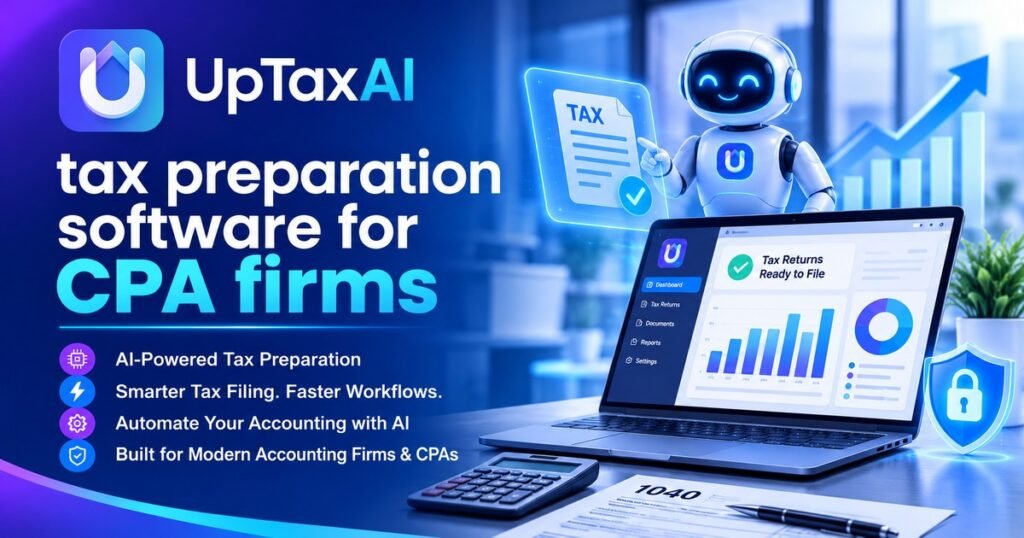
Firms exploring this category often look at platforms such as UpTax, also searched as UpTaxAI, which is built around AI-assisted preparation for US CPA and EA practices. Whatever you try, ask for a demo using your own sample documents.
Security and Compliance Questions to Ask
Tax data is among the most sensitive information a firm holds. Before you sign, ask each vendor:
- How is client data encrypted in transit and at rest?
- Does the vendor hold an independent security report, such as SOC 2?
- Does the product support multi-factor authentication and role-based access?
- How does it help you meet FTC Safeguards Rule and IRS data-security expectations?
- Where is data stored, and what happens to it if you cancel?
Confirm current wording of the FTC Safeguards Rule requirements for tax preparers and IRS Publication 4557 before citing either.
Comparing Options Without Getting Lost in Demos
Lists such as “The Best Ai Tax Filing Software” or “Best Tax Filing Software For Cpa Firms” are good places to start. However, the word ‘best’ is relative when it comes to your clients and your team’s needs. For example, you have very different needs if you’re a solo practice versus a 40-person firm.
Try this simple process:
- Write down your three slowest steps in the current workflow.
- Shortlist three tools that claim to fix those steps.
- Run 5 to 10 prior-year returns through each one.
- Compare time spent, errors found, and how easy the review screens were.
- Ask for references from firms of a similar size.
This turns a vague feature comparison into evidence from your own work.
Final Thoughts
Choose the right software for your team to regain their precious time — while keeping high standards.
Just like when reviewing a return, make sure to check all the details, test some of the numbers and then go with that which you can verify!
Also reads about: https://pencraftednews.com/best-ai-tax-software-for-small-business-features-security-and-pricing/
Frequently Asked Questions
What is the best tax preparation software for CPA firms?
The best fit will depend on your return types, state coverage, team size, and integration. Try out two to three products on real returns from last year.
Can AI prepare a tax return on its own?
It is able to gather data, make suggestions, and point out problems.
How much does tax preparation software for CPA firms cost?
The pricing will differ greatly according to per-return costs, number of seats, and any additional services provided.
Is cloud-based tax software safe for client data?
If the vendor utilizes strong encryption, access control, and security audits, it certainly can be.
When should a firm switch tax software?
The off-season is the safest time. It gives your team room to migrate data, train, and test before the next filing deadline.