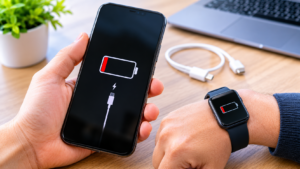
Batteries power many devices we depend on every day. Smartphones, smartwatches, laptops, and traditional watches all rely on dependable power sources. However, batteries gradually lose their ability to perform as they age. Recognizing early warning signs can help prevent unexpected shutdowns and unnecessary inconvenience.
Battery problems do not always appear suddenly. Often, small changes in charging speed, operating time, or overall performance develop first. Paying attention to these changes can help you identify potential issues before they become more serious. For wearable devices, including smartwatches, timely inspection and suitable watch repair Edmonton services may help identify whether a battery or another component requires attention. Understanding these warning signs also helps you decide when basic troubleshooting is appropriate.
1. Your Device Loses Power Faster Than Usual
One of the earliest signs of battery failure is reduced operating time. A fully charged device may no longer last as long as it previously did. For example, a smartphone that once lasted an entire day might require another charge by lunchtime.
Several factors can cause this change. Batteries naturally lose capacity through repeated charging and discharging cycles. Consequently, an older battery stores less energy than it did when new.
However, faster battery drain does not always mean the battery is failing. Background applications, weak cellular signals, high screen brightness, and software updates can increase power consumption.
To investigate, review your device’s battery usage settings. Identify applications consuming unusually high amounts of power and adjust unnecessary background activity. If the problem continues despite these changes, the battery may need professional assessment.
2. Your Battery Percentage Drops Unexpectedly
Another warning sign involves sudden changes in the displayed battery percentage. Your phone might show 40 percent charge before dropping to 15 percent within minutes.
Sometimes, the device may shut down despite displaying a remaining charge. These symptoms can indicate that the battery cannot reliably supply the power required by the device.
As batteries age, their internal resistance can increase. Under heavier loads, the voltage may fall enough to trigger a shutdown. Battery percentage estimates can also become less reliable under certain conditions.
First, restart your device and check whether the problem continues. Install available software updates if appropriate, and review the manufacturer’s battery diagnostics.
Avoid repeatedly allowing the device to shut down unexpectedly. If the behavior persists, arrange a battery assessment rather than relying on inaccurate percentage readings.
3. Your Device Takes Longer to Charge
Charging behavior can provide useful clues about battery health. If a device suddenly takes much longer to charge, investigate the cause before assuming the battery has failed.
A worn battery may contribute to charging problems. Nevertheless, faulty cables, incompatible adapters, dirty connectors, and software issues can produce similar symptoms.
Start by checking your charging equipment. Use a compatible cable and adapter that work correctly with your device. Also, inspect the charging connection for visible debris without inserting sharp objects.
Next, consider whether the problem occurs consistently. If charging remains unusually slow with reliable accessories, further investigation may be necessary.
Some devices intentionally slow charging near full capacity to protect battery health. Therefore, a gradual slowdown at higher percentages does not automatically indicate damage.
4. Your Device Shuts Down Without Warning
Unexpected shutdowns can interrupt important tasks and indicate an underlying power problem. For instance, a phone might turn off while opening an application or taking photographs.
These shutdowns may become more frequent as a battery ages. Demanding activities can require more power than a weakened battery can deliver reliably.
However, software crashes, overheating, and internal hardware faults can also cause sudden shutdowns. Therefore, the symptoms should be considered alongside other warning signs.
Check whether shutdowns occur during particular activities. Note the displayed battery percentage, device temperature, and applications involved.
If the device repeatedly shuts down despite having sufficient charge, arrange a professional assessment. Avoid relying on it for essential communication until the problem is understood.
5. Your Device Becomes Unusually Hot
Some warmth during charging or intensive use is normal. However, excessive or persistent heat can indicate a problem requiring attention.
Battery deterioration can contribute to abnormal heating in certain circumstances. Nevertheless, demanding applications, direct sunlight, poor ventilation, and unsuitable chargers can also raise temperatures.
Pay attention to heat that develops during light use. A device that becomes unusually hot while idle deserves further investigation.
Disconnect the charger if the device becomes excessively hot, provided it is safe to do so. Stop using it and follow the manufacturer’s safety guidance.
Never attempt to cool a device using ice, refrigerators, or freezers. Sudden temperature changes and condensation can introduce additional risks.
If overheating happens repeatedly, seek professional assistance before continuing normal use.
6. The Battery or Device Starts Swelling
Battery swelling is a serious warning sign that should never be ignored. A swollen battery may push against the screen, separate the casing, or distort the device’s shape.
This can happen when internal battery components deteriorate and gases accumulate. Physical damage, manufacturing defects, and other battery failures may contribute to the problem.
If you notice swelling, stop using and charging the device immediately. Do not press the screen back into place or attempt to flatten the battery.
Avoid opening the device or removing the battery yourself. Puncturing or compressing a damaged lithium-ion battery can cause fire or injury.
Keep the device away from flammable materials when safe to do so. Contact the manufacturer or a qualified repair provider for instructions about safe handling and service.
7. Your Laptop or Smartwatch Struggles to Hold a Charge
Battery deterioration affects more than smartphones. Laptops, smartwatches, wireless headphones, and other portable electronics can also experience reduced battery performance.
For example, an older laptop may shut down soon after being disconnected from its charger. A smartwatch may require daily charging despite previously operating for several days.
These changes can result from normal battery aging. However, settings, wireless connectivity, screen activity, and background processes can also increase energy consumption.
For laptops, check the operating system’s battery health report when available. Many smartwatches also provide battery usage information or service recommendations.
If the device still performs poorly after reasonable adjustments, professional testing can help determine whether battery replacement is appropriate.
8. Your Device Performs Poorly in Cold Weather
Temperature can influence battery performance, particularly in devices using lithium-ion batteries. Cold conditions may temporarily reduce available capacity and affect voltage delivery.
As a result, your phone might lose charge faster outdoors during winter. In some cases, the device may shut down temporarily despite showing remaining battery power.
These symptoms do not necessarily indicate permanent battery failure. Performance may improve when the device returns to its recommended operating temperature.
Avoid heating a cold device rapidly or placing it directly against a heater. Instead, let it return gradually to a suitable indoor temperature.
Repeated problems under normal conditions may indicate a battery that has lost significant capacity. If symptoms continue, consult the manufacturer’s guidance or arrange an inspection.
9. Your Device’s Battery Health Indicates Deterioration
Many modern devices include tools that report battery condition. These features can help identify capacity loss before performance becomes severely affected.
Some smartphones display maximum battery capacity or a service recommendation. Laptops may provide battery cycle counts and estimates of remaining capacity.
A battery’s cycle count measures its accumulated use, not simply the number of times it was plugged in. One complete cycle generally represents using an amount equivalent to 100 percent of its capacity.
However, cycle counts and health percentages should not be interpreted in isolation. Battery aging depends on temperature, charging patterns, chemistry, and overall usage.
Review the manufacturer’s recommended service thresholds for your particular model. If the system reports a battery fault, arrange appropriate service instead of ignoring the warning.
10. Charging Problems Continue After Basic Troubleshooting
Sometimes, several warning signs appear together. Your device might charge slowly, lose power quickly, and shut down unexpectedly.
When these symptoms persist, it becomes important to distinguish battery failure from other hardware problems. A damaged charging port, faulty adapter, or internal power-management issue may produce similar behavior.
Start with simple, safe checks. Test compatible charging accessories, review battery usage, and restart the device when appropriate.
Do not repeatedly reconnect cables if the port feels loose or damaged. Similarly, stop charging if you notice unusual heat, burning smells, or physical swelling.
A qualified technician can inspect the battery and related components. Testing helps identify the underlying cause and determine whether replacement is necessary.
How to Extend Your Battery’s Useful Life
Although every battery eventually ages, good habits can help reduce unnecessary wear. Small adjustments may also improve everyday performance.
Avoid Excessive Heat
High temperatures can accelerate battery deterioration. Keep devices away from direct sunlight, hot vehicles, and other heat sources.
Remove a phone case during charging only if it contributes to excessive heat and the manufacturer recommends doing so. Never compromise physical protection unnecessarily.
Use Compatible Charging Accessories
Choose charging equipment that meets your device manufacturer’s specifications. Damaged cables and unsuitable adapters can create charging problems.
Inspect accessories regularly and replace frayed or damaged cables. Also, avoid using connectors that feel loose or become unusually hot.
Enable Battery Optimization Features
Many devices offer optimized charging or battery-saving settings. These features can reduce unnecessary power consumption and help manage charging patterns.
For example, optimized charging may limit the time a battery spends fully charged. Availability and operation vary by device.
Avoid Unnecessary Battery Drain
Reduce screen brightness when practical and disable unused features. Review background applications and limit unnecessary notifications.
However, do not disable essential functions simply to preserve battery capacity. Focus on changes that improve efficiency without reducing usability significantly.
Follow Manufacturer Recommendations
Battery care advice varies across devices and battery technologies. Consult the manufacturer’s documentation for charging, storage, and maintenance recommendations.
Avoid relying on outdated advice about mandatory full discharges. Modern lithium-ion batteries generally do not require regular deep discharge cycles.
When Should You Seek Professional Battery Repair?
Professional assessment is appropriate when battery problems persist despite basic troubleshooting. Repeated shutdowns, severe capacity loss, charging failures, and battery health warnings can indicate a service need.
Physical swelling, smoke, unusual odors, or extreme heat require immediate caution. Stop using the device and follow the manufacturer’s safety instructions.
Before arranging a repair, back up important data whenever the device remains safe to operate. Ask the provider about diagnostic procedures, replacement parts, estimated costs, and service warranties.
A technician can determine whether the battery itself has deteriorated. They can also investigate charging circuitry, software issues, and other possible causes.
Do not attempt to puncture, dismantle, or replace a damaged battery without suitable training. Improper handling can create serious safety hazards.
Frequently Asked Questions
What Is the First Sign of Battery Failure?
Reduced battery life is a common early sign. Other symptoms include unexpected percentage changes, slow charging, and sudden shutdowns.
How Long Does a Smartphone Battery Usually Last?
Battery lifespan depends on usage, temperature, charging habits, and device design. Many smartphone batteries experience noticeable capacity loss after several hundred charging cycles, although the timing varies considerably.
Can a Battery Be Repaired Instead of Replaced?
Most deteriorated rechargeable batteries are replaced rather than repaired internally. A technician can assess the battery and determine the appropriate solution.
Is Slow Charging Always a Sign of Battery Failure?
No. Slow charging may result from the cable, adapter, charging port, software, or temperature. Testing compatible accessories can help narrow down the cause.
Is It Safe to Use a Phone With a Swollen Battery?
No. Stop using and charging the device if you notice battery swelling. Avoid pressing or opening the device, and seek professional safety guidance.
Can Battery Health Improve Again?
A battery’s actual chemical capacity generally cannot be restored through software settings. However, software updates or corrected settings may improve reported readings or reduce power consumption.
Conclusion
Recognizing battery failure early can help you avoid unexpected shutdowns and protect your devices. Reduced operating time, sudden percentage changes, slow charging, and unusual heat deserve attention.
However, these symptoms do not always mean the battery is defective. Charging accessories, software problems, and other hardware components can produce similar warning signs.
Start with safe troubleshooting and review your device’s battery health information. If problems continue, seek professional assessment before they interfere with everyday use.
Most importantly, treat swelling, smoke, burning smells, and extreme heat as serious safety warnings. Timely action and proper battery care can help keep your devices dependable for longer.