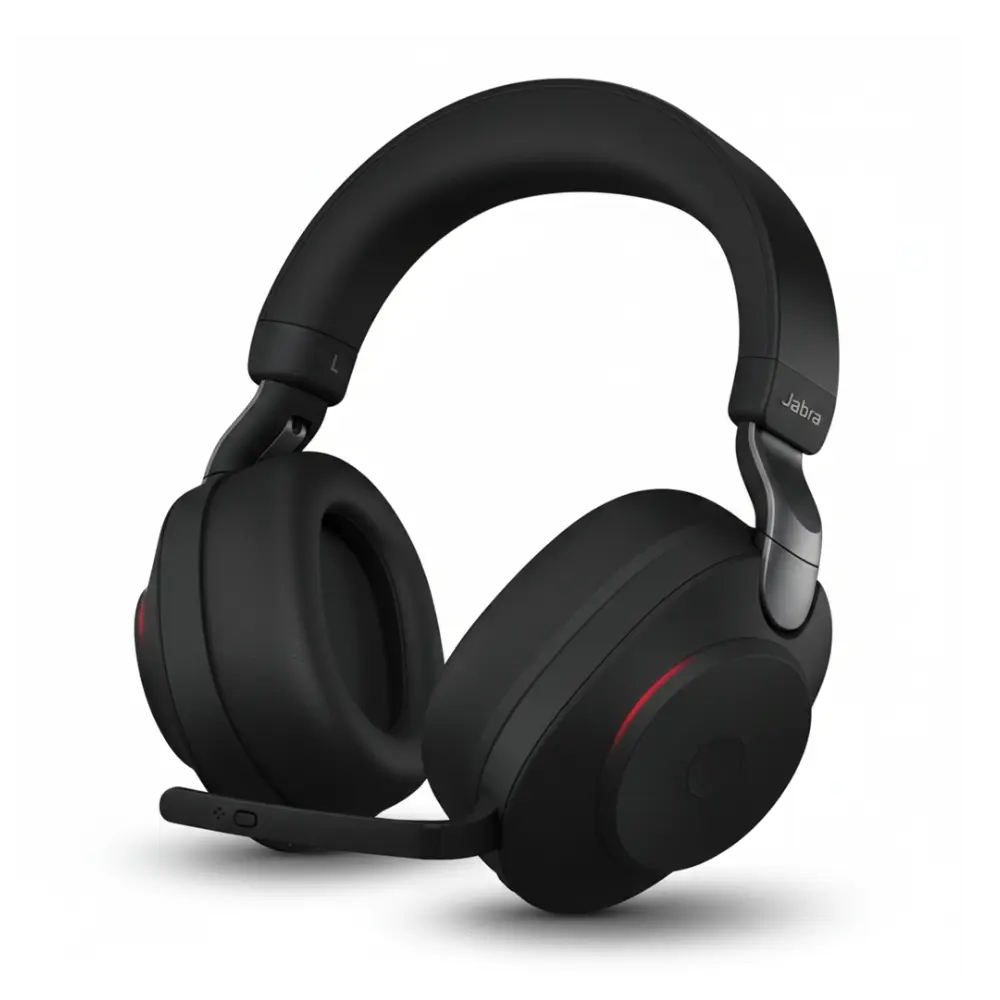
Effective communication has become one of the most important parts of modern business. Whether employees are working from a traditional office, operating remotely from home, or moving between different locations, clear communication helps teams stay connected and productive. With business conversations increasingly taking place through phone calls, video conferences, online meetings, and customer support platforms, having the right audio equipment can make a noticeable difference.
A professional headset is more than an accessory for making phone calls. It can provide clearer conversations, reduce distractions, improve comfort, and give employees the flexibility they need throughout the workday. From call centers and customer service departments to home offices and corporate environments, headsets have become an essential part of everyday communication.
With so many options available, however, choosing the right model can sometimes feel complicated. Wired headsets, wireless headsets, USB headsets, Bluetooth models, office headsets, and specialized communication devices all have different features and advantages. Understanding these differences can help businesses and individuals make more informed purchasing decisions.
Why Headsets Are Important for Modern Business Communication
Workplace communication has changed significantly over the last several years. Employees no longer depend solely on traditional desk phones. Computers, smartphones, tablets, collaboration platforms, and video conferencing applications are now common communication tools.
This change has created a growing need for reliable audio equipment that can work across different devices and communication environments. Computer headsets with microphone provide a convenient solution by allowing users to communicate clearly while keeping their hands free for typing, taking notes, accessing documents, or operating other equipment.
For customer service representatives, a headset may be used for hours every day, making sound quality, microphone performance, and comfort particularly important. Similarly, remote employees may rely on headsets for virtual meetings, presentations, interviews, and daily team discussions. Choosing a suitable headset based on compatibility, comfort, connectivity, and intended use can help create a more convenient and professional communication experience.
A suitable headset can also help users focus on conversations by limiting some of the distractions found in busy offices and shared workspaces. This can make communication more convenient and help create a more professional calling experience.
Wired Headsets Remain a Practical Choice
Although wireless technology continues to grow in popularity, wired headsets remain useful in many professional environments. Their simple connection makes them convenient for users who work primarily from a fixed desk.
USB headsets, for instance, can connect directly to compatible computers and are commonly used for online meetings, voice calls, customer support, and other computer-based communication. Other wired models may be designed for specific desk phones or communication systems.
One of the main benefits of a wired headset is that users do not have to worry about charging a battery during the workday. Once connected to a compatible device, the headset can generally be used immediately.
Wired models can also be an excellent option for businesses that have many employees working at designated desks. Before purchasing, however, organizations should always check the headset’s connector type and compatibility with their existing equipment.
The Flexibility of Wireless Headsets
Wireless headsets offer a different type of convenience. Instead of remaining connected to a computer or desk phone by a cable, users can move around their workspace while maintaining a connection, depending on the headset and device being used.
This flexibility can be valuable for employees who frequently move between their desk, meeting areas, or other parts of an office. Wireless headsets can also be useful for professionals who need to transition between different workplace activities without constantly removing or reconnecting their equipment.
Battery life is an important consideration when selecting a wireless model. Users should consider how many hours they typically spend on calls and whether the headset can provide sufficient operating time between charges.
Connection range is another factor. A headset with an appropriate wireless range can provide greater freedom of movement, while the actual range may depend on the technology, environment, and connected device.
Understanding Bluetooth Headsets
Bluetooth has become a popular wireless technology for connecting audio devices. Bluetooth headsets can be particularly useful for people who communicate through smartphones, computers, tablets, and other compatible devices.
One advantage of Bluetooth is versatility. A compatible headset may allow users to switch between different devices, depending on its design and supported features. This can be useful for professionals who regularly use both a computer and mobile phone.
When selecting a Bluetooth headset, users should check compatibility before purchasing. Different devices may support different Bluetooth capabilities, and some professional environments may have specific requirements.
Battery performance, microphone quality, wearing comfort, and connection stability should also be considered. Choosing a headset based only on wireless connectivity may overlook other features that are important for everyday communication.
USB Headsets for Remote Work and Virtual Meetings
Remote and hybrid work have made virtual communication a regular part of many professionals’ routines. Online meetings, video conferences, training sessions, interviews, and customer calls often depend on computer-based audio.
USB headsets can offer a straightforward solution for these situations. They connect directly to a compatible computer and can combine headphones and a microphone into one convenient device.
For people who spend several hours participating in virtual meetings, comfort should be considered alongside audio performance. A headset that feels comfortable during short conversations may not necessarily be suitable for extended daily use.
It is also important to confirm whether the computer uses USB-A, USB-C, or another connection. Checking compatibility before ordering can prevent problems and help ensure that the headset works with the intended setup.
Microphone Quality Matters
A headset’s speakers are only one part of the communication experience. The microphone is equally important because it determines how clearly the user’s voice is transmitted to other people.
For business calls, a clear microphone can help conversations run more smoothly. This is especially important for customer service representatives, sales teams, support professionals, and employees who spend a large portion of their day speaking with clients or colleagues.
Background noise can also affect communication. Offices may contain conversations, keyboards, printers, phones, and other sources of sound. Some headsets incorporate microphone technologies designed to reduce the effect of surrounding noise.
Users should consider their working environment when evaluating microphone performance. Someone working in a quiet home office may have different requirements from someone working in a busy call center.
Comfort Is Essential for Long-Term Use
A headset can have excellent technical specifications, but if it is uncomfortable, it may not be suitable for someone who wears it throughout the workday.
Several design factors can influence comfort. Adjustable headbands allow users to find a suitable fit, while appropriately designed ear cushions can help reduce pressure around the ears. Lightweight construction can also be beneficial for extended use.
Different people prefer different wearing styles. Some users prefer traditional over-the-head designs, while others may prefer lighter options. The right choice depends on personal preference and how the headset will be used.
Businesses purchasing headsets for employees should also consider that workers may use the equipment for several hours each day. Prioritizing both functionality and comfort can make the equipment more practical for long-term workplace use.
Choosing a Headset for Call Centers
Call centers have some of the most demanding headset requirements. Employees may spend most of their shifts speaking with customers, making microphone performance and comfort particularly important.
A call center headset should be appropriate for the communication system used by the organization. It should also provide a comfortable fit and support clear two-way communication.
Durability can be another consideration. Equipment used every day by multiple employees may experience more wear than a headset used occasionally at home.
Organizations should therefore evaluate more than the initial purchase price. Compatibility, reliability, comfort, replacement requirements, and long-term usability can all influence the overall value of workplace communication equipment.
Headsets for Remote Professionals
Working from home provides flexibility, but it can also introduce communication challenges. Household activity, background noise, inconsistent room acoustics, and shared spaces can all affect virtual conversations.
A suitable headset can create a more controlled communication environment. Employees can use their headset during online meetings, phone calls, presentations, and other professional conversations without relying entirely on built-in computer speakers and microphones.
Remote workers should think about their daily routine before choosing a headset. Someone who spends most of the day at a desk may prefer a wired USB model, while a professional who frequently moves around may benefit from wireless connectivity.
Compatibility Should Always Be Checked
One of the most common mistakes when buying a headset is failing to confirm compatibility. A headset may have excellent features but still be unsuitable if it does not work with the user’s phone, computer, desk phone, or communication system.
Before purchasing, identify the device or devices that will be used with the headset. Then check the required connector, operating compatibility, wireless technology, and supported communication features.
Businesses should pay particular attention to compatibility when purchasing equipment in bulk. Testing a headset with the organization’s existing communication system before placing a large order can help reduce unnecessary returns or replacements.
Headsets for Business Meetings
Meetings are another area where quality audio equipment can make communication easier. Modern teams may have participants joining from offices, homes, coworking spaces, and different cities or countries.
A good headset can help users hear other participants more clearly while allowing their own voices to be transmitted through a dedicated microphone.
For professionals who attend meetings throughout the day, comfort becomes especially important. A headset should fit naturally and remain comfortable during extended conversations.
How to Compare Different Headset Options
There is no single headset that is perfect for every user. The best choice depends on individual requirements, workplace conditions, devices, and communication habits.
When comparing options, consider the following factors:
- Connection type: Decide between wired, USB, Bluetooth, or other supported connections.
- Device compatibility: Make sure the headset works with your computer, phone, desk phone, or other equipment.
- Microphone quality: Consider how clearly your voice needs to be transmitted.
- Comfort: Look for a design appropriate for the amount of time you will wear it.
- Mobility: Determine whether you need freedom to move around while communicating.
- Battery life: Wireless users should consider expected daily usage and charging requirements.
- Work environment: Think about background noise and whether noise-reducing features would be useful.
- Durability: Businesses with frequent daily use may need equipment designed for regular workplace demands.
- Intended purpose: A gaming headset, office headset, call center headset, and remote-work headset may have different priorities.
Creating a short list based on these factors can make the selection process much easier.
Why Professional Headsets Can Be a Smart Workplace Investment
Communication equipment is often overlooked when businesses evaluate productivity tools. Yet employees who spend hours on calls depend on their headsets every day.
An appropriate headset can make communication more convenient and provide a more consistent audio experience. It can also reduce the need for employees to hold phones during long conversations, allowing them to use their hands for other tasks.
For businesses, standardizing compatible headset models can also simplify equipment management. Teams can establish preferred devices based on their communication systems and workplace requirements.
The goal should not simply be to purchase the most expensive equipment. Instead, businesses should look for products that provide the combination of functionality, compatibility, comfort, and reliability that their employees actually need.
Finding the Right Communication Equipment
With numerous headset styles and technologies available, customers benefit from having access to a broad selection of products. Finding the right professional communication solutions can help businesses and individuals choose equipment that matches their specific needs, whether for office work, remote communication, computer use, business calls, or other applications.
Exploring products according to connection type and intended use can help customers narrow down their choices. Whether someone needs a wired headset for a desk phone, a USB model for computer meetings, or a wireless option for greater mobility, understanding the available features is an important part of the buying process.
The right headset ultimately depends on how, where, and with which devices it will be used. Taking time to compare these factors can help individuals and businesses find equipment that fits their daily communication requirements.
Final Thoughts
Clear communication is essential for successful workplaces, and the right headset can play an important role in making that communication easier. From traditional offices and call centers to remote workspaces and virtual meeting rooms, headsets support professionals across a wide range of environments.
Wired, wireless, Bluetooth, and USB headsets each provide different benefits. Microphone quality, comfort, compatibility, battery life, durability, and intended use should all be considered before making a purchase.
Rather than selecting a headset based solely on appearance or price, users should focus on their actual communication needs. By identifying the devices they use, the amount of time they spend on calls, their workplace environment, and the level of mobility they require, they can make a more informed choice.
With the right equipment, everyday conversations, virtual meetings, customer interactions, and professional calls can become more convenient and comfortable. As modern workplaces continue to rely on digital communication, selecting suitable audio equipment remains an important part of creating an effective and connected work environment.