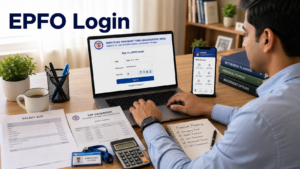
The EPFO portal login is one of the most useful online services for salaried employees in India. Earlier, employees had to depend on their employer or visit the EPFO office for many PF-related tasks. Today, most important services such as PF balance check, passbook download, KYC update, claim status tracking, PF transfer, e-nomination, and UAN activation can be managed online through official EPFO portals.
For most employees, the EPFO portal login means signing in to the UAN Member e-Sewa portal using a Universal Account Number, password, and captcha. EPFO also provides a separate Member Passbook portal where users can view their PF balance, employee contribution, employer contribution, pension contribution, and transaction history. The official EPFO employee services page lists important services such as Member Passbook, Member UAN/Online Service, Know Your Claim Status, EPFiGMS, and Pensioner’s Portal.
In simple words, the EPFO portal login gives you direct control over your Employees’ Provident Fund account. Whether you have recently joined your first job, changed your company, applied for PF withdrawal, or simply want to check whether your employer is depositing PF every month, the EPFO login portal can help you do it from your phone or laptop. Just like Square Insurance helps users understand financial protection and insurance choices in a simple way, this guide explains EPFO login in clear, practical language so that you can use the portal confidently.
What Is EPFO Portal Login?
EPFO portal login is the process of accessing the online platforms provided by the Employees’ Provident Fund Organisation. EPFO is responsible for managing provident fund, pension, and insurance benefits for eligible employees in India. The portal allows employees, employers, and pensioners to access different services digitally instead of depending only on offline paperwork.
For employees, the most important login page is the UAN Member e-Sewa portal. This is where members enter their UAN, password, and captcha to access their EPF account. The official member portal shows login fields for UAN number, password, and captcha, and also displays important notices related to UAN activation, e-nomination, and member services.
The EPFO portal login is not limited to checking balance. It is also used for updating KYC, filing online claims, transferring PF from one member ID to another, viewing service history, filing e-nomination, and checking claim status. This makes it an important digital tool for anyone who contributes to EPF.
Quick Answer: How to Login to EPFO Portal?
To login to the EPFO portal, visit the official UAN Member e-Sewa portal, enter your UAN number, password, and captcha, then click on Sign In. If your UAN is not activated, first activate it through the portal or UMANG app. After login, you can access PF passbook, KYC, claim status, online claims, PF transfer, service history, and e-nomination services.
This short answer is useful for featured snippets, but users often need more details because EPFO has multiple portals for different purposes. The member portal, passbook portal, employer portal, and grievance portal are not the same. Understanding the difference helps you avoid login errors and fake websites.
Why EPFO Portal Login Is Important
The EPFO portal login is important because it gives employees direct access to their retirement savings information. Your EPF account is not just a salary deduction. It is a long-term savings account where both employee and employer contributions are deposited regularly. If you do not check it from time to time, you may miss contribution gaps, KYC errors, incorrect joining dates, wrong exit dates, or claim-related issues.
The portal improves transparency. You can check whether your employer is depositing contributions on time. You can also download your passbook and verify your monthly entries. The official EPFO passbook portal mentions balance enquiry options through missed call and SMS, along with the Member Passbook service.
It also saves time. Many services that earlier required office visits are now available online. You can update KYC, submit claims, track claim status, transfer PF, and register grievances digitally. For employees who frequently change jobs, this is especially helpful because multiple member IDs can be managed under one UAN.
From a financial planning point of view, EPF is a key part of long-term security. Along with savings, people also need protection through health insurance, motor insurance, term insurance, and other financial tools. Square Insurance can be naturally connected with this broader financial awareness because both EPF and insurance support long-term financial stability.
Official EPFO Portals You Should Know
Before using the EPFO portal login, it is important to know the official websites. Many users search on Google and click the first result without checking the domain. This can be risky because PF-related information includes UAN, Aadhaar, PAN, bank details, mobile number, and employment history.
The official EPFO website is used as the main access point for employee, employer, and pensioner services. The employee services page provides links for Member Passbook, Member UAN/Online Service, Know Your Claim Status, EPFiGMS, and Pensioner’s Portal.
The UAN Member e-Sewa portal is used by employees for account management. It allows login through UAN and password and includes options such as Activate UAN and Forgot Password.
The Member Passbook portal is used mainly for checking PF balance and downloading passbook. It also displays missed call and SMS options for EPF balance enquiry.
The employer portal is different from the employee portal. Employers use it for establishment login, ECR filing, employee registration, compliance, and other employer-related services. The employer portal also mentions password recovery through SMS and unlocking an account if it gets locked due to repeated wrong password attempts.
Requirements Before EPFO Portal Login
Before you login to the EPFO portal, keep a few important details ready. The first requirement is your UAN, which is a 12-digit number allotted to EPF members. Your UAN remains the same even if you change jobs, while different member IDs may be linked under the same UAN.
Your UAN should be activated. If it is not activated, you may not be able to login or use online services properly. The EPFO member portal currently mentions that UAN activation for existing UANs and generation of new UANs can be done through the UMANG app.
You also need your EPFO password and access to your registered mobile number. OTP verification may be required for password reset, UAN activation, KYC-related actions, or other services. Your Aadhaar, PAN, and bank details should also be correct because mismatched KYC can delay or reject claims. A recent Economic Times report also highlighted that EPF claims may get rejected if details such as name, date of birth, or gender do not match Aadhaar records because EPFO cross-checks member data before processing withdrawals.
How to Activate UAN Before EPFO Login
If you are a first-time user, you may need to activate your UAN before using the EPFO portal login. UAN activation is important because it creates your online access to EPFO services. Without activation, you may not be able to login to the member portal or access passbook services.
To activate UAN, visit the official UAN Member e-Sewa portal or use the UMANG app, depending on the available option. The member portal displays a notice that UAN activation for existing UANs and generation of new UANs can be done through UMANG.
During activation, you may need details such as UAN, member ID, Aadhaar, PAN, date of birth, mobile number, and email. After submitting the required details, you may receive an OTP on your registered mobile number. Once verified, your UAN gets activated and you can create or receive login credentials.
While activating UAN, make sure your name, date of birth, and mobile number match official records. If there is a mismatch between Aadhaar and EPFO records, you may face errors during activation or claim submission. In such cases, correction may be required through the employer or EPFO process.
Step-by-Step Process for EPFO Portal Login
To use the EPFO portal login, open the official UAN Member e-Sewa portal. On the login page, enter your UAN number, password, and captcha. After entering the details correctly, click on Sign In. The official member portal login section asks for UAN number and password and requires JavaScript to be enabled in the browser.
Once you are logged in, you can access your member dashboard. The dashboard may show different options such as View, Manage, Account, Online Services, and other EPFO-related sections. The exact layout may change from time to time, but the basic purpose remains the same.
You can use the portal to view your profile, check service history, update KYC, file online claims, track claim status, transfer PF, and manage e-nomination. If the login fails, check whether your UAN is activated, your password is correct, captcha is entered properly, and the official website is working.
Sometimes login issues happen because of heavy traffic or temporary technical problems. In that case, wait for some time and try again. Avoid repeated wrong password attempts because your account may get locked.
How to Login to EPFO Passbook Portal
The EPFO passbook portal is mainly used to check PF balance and download the passbook. Many users confuse it with the UAN Member e-Sewa portal, but both have different purposes. The member portal is for managing EPF services, while the passbook portal is for viewing contribution details.
To login to the EPFO passbook portal, visit the official Member Passbook website. Enter your UAN, password, and captcha. After login, select the member ID for which you want to view the passbook. If you have worked with more than one employer, you may see multiple member IDs linked with the same UAN.
The passbook shows employee contribution, employer contribution, pension contribution, withdrawals, interest credit, and closing balance. The official passbook portal also provides EPF balance enquiry options through missed call and SMS.
Checking your passbook regularly is a smart habit. It helps you confirm whether your employer is depositing PF correctly. If you notice missing entries, first contact your HR or payroll team. If the issue is not resolved, you may raise a grievance through EPFO’s grievance system.
EPFO Portal Login for KYC Update
KYC update is one of the most important uses of EPFO portal login. KYC usually includes Aadhaar, PAN, bank account number, IFSC code, and other identity details. If your KYC is not correct or verified, you may face problems while applying for PF withdrawal, pension withdrawal, or PF transfer.
After logging in to the UAN Member e-Sewa portal, go to the Manage section and choose KYC. Enter the required details carefully. Some KYC details may require employer approval before they become verified in the EPFO system.
Accurate KYC is important because EPFO verifies member details before processing claims. If your name, date of birth, gender, Aadhaar, or bank details do not match, your claim may be delayed or rejected. Recent reporting has also highlighted the importance of matching EPFO records with Aadhaar details to avoid claim rejection.
Before applying for any claim, always check your KYC status. Make sure your bank account is active and belongs to you. Also confirm that your IFSC code is correct. A small mistake in bank details can lead to failed payment or claim delay.
EPFO Portal Login for Claim Status
The EPFO portal login also helps users track claim status. If you have applied for PF withdrawal, PF advance, pension withdrawal, or transfer, you can check whether the claim is under process, approved, settled, rejected, or pending for action.
The Government of India services portal mentions that EPFO members, subscribers, and pensioners who have submitted a claim can track the status online by providing required PF account details and PF office state.
Inside the UAN member portal, claim status is usually available under online services or claim-related options. If your claim is rejected, the reason may be related to KYC mismatch, Aadhaar issue, bank verification failure, employer approval delay, wrong service details, or incomplete information.
If your claim remains under process for a long time, do not panic immediately. Some claims take time due to verification. However, if the delay is unusual, you can raise a grievance through EPFiGMS. EPFiGMS is EPFO’s grievance portal where grievances related to EPFO services can be lodged and routed to the concerned office.
EPFO Portal Login for PF Transfer
When you change jobs, your new employer may create a new member ID under your existing UAN. Your old PF balance may need to be transferred to the new member ID. EPFO portal login helps you apply for online PF transfer.
PF transfer is useful because it keeps your retirement savings in one place. If you leave multiple old PF accounts inactive, it can become difficult to manage them later. A consolidated PF account also makes future withdrawal and pension-related processes smoother.
Before applying for transfer, make sure your UAN is active, KYC is verified, and old and new member IDs are linked correctly. Also check whether your date of exit from the previous employer has been updated. Incorrect service details can create problems during transfer.
After submitting the transfer request, you can track the status online. If the request is pending with the employer, follow up with the HR or payroll department. If it is pending with EPFO for a long time, you can use the grievance portal.
EPFO Portal Login for E-Nomination
E-nomination is another important service available through EPFO portal login. The EPFO member portal displays a notice that filing nominations by members is mandatory as per the EPF Scheme, 1952, and e-nominations can be filed and updated during the service period.
E-nomination helps your family claim EPF, EPS, or EDLI-related benefits more smoothly in case of an unfortunate event. Without nomination, family members may have to complete more documentation, which can delay settlement.
To file e-nomination, login to the member portal and go to the nomination section. Add family details, nominee information, and share percentage carefully. You may need Aadhaar-linked mobile OTP for final authentication.
If your family details change due to marriage, childbirth, or other reasons, update your nomination. Many employees ignore nomination, but it is one of the most important parts of EPF account management.
EPFO Employer Portal Login
The EPFO employer portal is used by employers and establishments, not individual employees. Employers use it for tasks such as employee registration, ECR filing, PF contribution payment, KYC approval, employee exit update, and compliance management.
The employer portal provides instructions for creating a permanent login ID and password after first login. It also says that if the employer forgets the password or login ID, the Forgot Password link can be used to get details through SMS on the registered mobile number. If the account is locked due to repeated wrong password attempts, the Unlock Account link can be used.
Employees should not use the employer portal for UAN login. If you are an employee, use the UAN Member e-Sewa portal for account services and the Member Passbook portal for balance and passbook.
EPFO Portal Login Through UMANG App
EPFO services are also available through the UMANG app. This is useful for users who prefer mobile access instead of using a browser. The EPFO member portal currently mentions that UAN activation for existing UANs and generation of new UANs can be done through the UMANG app.
Through UMANG, users may access services such as passbook, claim status, and other EPFO options, depending on availability. The app can be helpful when the website is slow or when you want quick mobile access.
However, download UMANG only from official app stores or official government sources. Avoid third-party apps that ask for UAN, password, Aadhaar, PAN, or bank details. Your EPFO login details are sensitive and should not be entered into unknown apps.
Difference Between EPFO Member Portal and Passbook Portal
Many users search for “EPFO portal login” but do not know which portal to open. The UAN Member e-Sewa portal and the Member Passbook portal are both important, but they are used for different purposes.
The member portal is used for account management. You can update KYC, file online claims, transfer PF, view service history, manage nomination, and access other member services. The passbook portal is mainly used for viewing PF balance and contribution history.
If you only want to check balance, use the passbook portal. If you want to update KYC, file a claim, transfer PF, or manage nomination, use the UAN Member e-Sewa portal. Both may require UAN and password, but their functions are different.
Common EPFO Portal Login Problems and Solutions
One common problem is a forgotten password. If you forget your EPFO password, use the Forgot Password option. You may need to verify your UAN and registered mobile number through OTP or SMS. The employer portal instructions also mention that forgotten password or login ID can be recovered through SMS on the registered mobile number.
Another common issue is captcha error. Captcha must be entered exactly as shown. If it is not readable, refresh it and try again. Do not make repeated wrong attempts because it may create login problems.
Some users face issues because their registered mobile number is inactive. Since OTP verification is important for many EPFO services, keep your mobile number updated. If you no longer have access to the registered number, you may need to follow EPFO’s mobile update process.
Passbook not opening is also common. This may happen due to temporary server issues, recent UAN activation, wrong credentials, or account-related restrictions. If the portal is down, try again later.
KYC mismatch is another major issue. If your Aadhaar, PAN, bank details, name, date of birth, or gender do not match, claims may be delayed or rejected. Always verify your details before applying for withdrawal or transfer.
EPFO Portal Login Safety Tips
EPFO login details should be protected carefully. Your UAN account may contain sensitive personal and financial information. Always use official EPFO websites and check the domain before entering login details.
EPFO’s unified portal displays a cyber safety alert advising users to be vigilant against credential theft, install licensed anti-virus or anti-malware, keep systems updated, maintain a complex password, and not share passwords.
Never share your UAN password, OTP, Aadhaar details, PAN details, or bank details with unknown callers. Do not trust messages claiming that your PF account will be blocked unless you click a link. Avoid logging in from public computers or cyber cafes. If you use a shared device, always logout properly and clear saved passwords.
Use a strong password that is not used on other websites. Change your password from time to time. If you suspect suspicious activity, reset your password immediately.
Best Practices After EPFO Portal Login
After logging in, do not only check your balance. Review your profile details, service history, KYC status, nomination status, and linked member IDs. Many employees discover mistakes only when they apply for withdrawal, which can delay the process.
Check your passbook every few months. This helps you confirm that employee and employer contributions are being deposited correctly. If your employer contribution is missing, contact HR or payroll quickly.
Keep your mobile number active because OTP-based services depend on it. Also, keep Aadhaar, PAN, and bank details updated. If you change your bank account, update it in the EPFO portal before applying for any claim.
If you are planning long-term finances, treat EPF as one part of your financial safety system. EPF helps with retirement savings, while insurance protects against unexpected financial risks. This is where platforms like Square Insurance can help users understand insurance options along with other financial planning needs.
FAQs on EPFO Portal Login
What is EPFO portal login?
EPFO portal login is the process of signing in to official EPFO online platforms using UAN, password, and captcha. It helps employees access PF passbook, KYC update, claim status, online claims, PF transfer, service history, and e-nomination services.
Which is the official EPFO login portal?
The official employee login portal is the UAN Member e-Sewa portal. The official EPFO employee services page also links to Member Passbook, Member UAN/Online Service, Know Your Claim Status, EPFiGMS, and Pensioner’s Portal.
How can I login to EPFO member portal?
Visit the official UAN Member e-Sewa portal, enter your UAN number, password, and captcha, then click on Sign In. If your UAN is not activated, activate it first through the available official process.
Can I check PF balance through EPFO portal login?
Yes, you can check PF balance through the Member Passbook portal. The portal allows members to access passbook details and also displays EPF balance enquiry options through missed call and SMS.
What should I do if I forgot my EPFO password?
Use the Forgot Password option on the EPFO login page. You may need your UAN and registered mobile number for verification. Password recovery is generally done through OTP or SMS-based verification.
Why is my EPFO login not working?
EPFO login may not work due to wrong UAN, incorrect password, captcha error, inactive UAN, locked account, server issue, or browser problem. Check your details, refresh captcha, use the Forgot Password option if needed, and try again later if the portal is temporarily unavailable.
Can I update KYC after EPFO portal login?
Yes, you can update KYC after logging in to the UAN Member e-Sewa portal. You can add or update Aadhaar, PAN, bank account, and other details. Some updates may require employer approval.
Can I track PF claim status online?
Yes, you can track PF claim status online. EPFO provides claim status services for members, subscribers, and pensioners who have submitted claims.
Is e-nomination mandatory in EPFO?
The EPFO member portal displays a notice that filing nominations by members is mandatory as per the EPF Scheme, 1952. Members can file and update e-nominations during their service period.
Can I use UMANG app for EPFO services?
Yes, EPFO services are available through UMANG for several member-related tasks. The EPFO member portal also mentions UAN activation and generation through UMANG.
Conclusion
The EPFO portal login is an essential online service for every salaried employee in India. It helps you manage your provident fund account, check PF balance, download passbook, update KYC, track claim status, transfer PF, and file e-nomination without unnecessary office visits.
If you are using the portal for the first time, start by activating your UAN. After that, login regularly to review your passbook, KYC, service history, and nomination details. This simple habit can help you avoid claim delays, contribution errors, and account-related problems in the future.
Your EPF account is an important part of your long-term financial security. Along with EPF savings, having the right insurance protection is also important for financial stability. Square Insurance helps users explore insurance solutions, while EPFO helps employees manage retirement-linked savings. Together, both ideas support a more secure financial future.