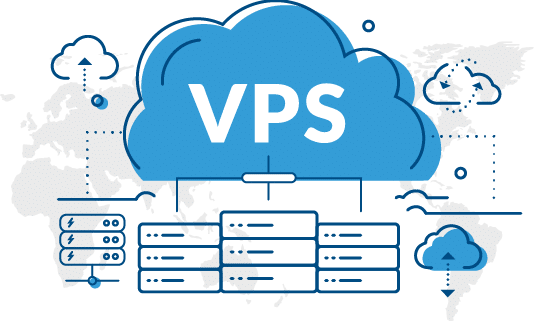
A website can begin small but still become very busy very quickly. More visitors, larger product collections, online promotions, and increased customer activity can make a basic hosting plan struggle. Cloud VPS Hosting gives growing websites a flexible place to run by combining virtual server resources with the power of cloud technology. It is a practical choice for companies, shopping centers, online stores, agencies, developers, and any website that needs better performance without the expense of a full dedicated server.
What Is Cloud VPS Hosting?
Cloud VPS hosting is a type of virtual private server that runs on cloud infrastructure. A physical server can be divided into separate virtual environments, and each VPS is allocated a set amount of CPU, RAM, storage, and network resources.
Unlike shared hosting, your website does not have to rely on the same pool of resources as many other websites. You get a more controlled environment where you can manage resources based on what your site needs.
A traditional VPS may be tied closely to one physical server, while a cloud VPS is typically built on a cloud infrastructure that can use multiple physical servers and redundant resources, depending on the provider’s setup. This can make cloud hosting more flexible, reliable, and easier to scale.
For a growing business, this difference is important. Your hosting setup should be able to handle increasing visitors and workloads without causing unnecessary slowdowns.
How Does Cloud VPS Hosting Work?
A cloud VPS uses virtualization technology to create a virtual server inside a larger cloud infrastructure. The provider manages the underlying physical hardware and cloud environment, while you manage the operating system, applications, website, and server settings according to your hosting plan.
Typical components include:
CPU: Handles processing tasks for websites, applications, and databases.
RAM: Helps active programs and databases run smoothly by providing temporary working memory.
SSD or NVMe Storage: Stores website files, databases, applications, and other server data.
Bandwidth: Determines how much data can move between your server and website visitors over a given period.
Operating System: Common options include Linux and Windows, depending on the provider and application requirements.
The quality and configuration of these resources can affect website performance. An SSD cloud VPS can provide faster storage access than traditional hard drives, while NVMe VPS hosting can offer even higher storage performance for workloads that require fast input and output operations.
The cloud design also makes it easier for providers to offer upgrades. Instead of moving immediately to a completely different hosting setup, you may be able to add CPU, RAM, storage, or bandwidth as your website grows.
Key Benefits of Cloud VPS Hosting
Better Website Speed
Speed is one of the main reasons businesses move away from shared hosting. With cloud VPS hosting, resources are more isolated, which can reduce the impact of other websites competing for server resources.
A faster server can help pages load more quickly, improve database operations, support applications more effectively, and create a better experience for visitors. This is especially useful for online stores, where slow pages can negatively affect customer engagement and sales.
However, hosting is only one part of website performance. Poor code, oversized images, slow databases, unnecessary plugins, and inefficient applications can still slow down a website, even on a powerful server.
Ability to Scale as Needed
Traffic can change quickly. An online store may launch a major promotion, a product may receive media attention, or a company may introduce a new service and attract a large number of visitors.
Cloud VPS hosting makes it easier to respond to these changes. Depending on the provider and plan, you may be able to add CPU, RAM, storage, or bandwidth as needed.
This is the advantage of scalable VPS hosting: you can match your server setup to what your business actually needs instead of paying for an oversized server from the beginning.
Reliable Uptime
Cloud environments can be designed with redundancy and additional infrastructure to improve service availability. If one component experiences a problem, the underlying architecture may be able to continue operating through other available resources, depending on how the provider has built its platform.
The exact level of reliability depends on the provider, so do not choose a hosting plan based only on the word “cloud.” Check the provider’s uptime commitment, infrastructure design, redundancy, backup system, and service-level agreement.
Better Security
A VPS provides a more isolated environment than shared hosting. It also gives you the ability to configure security features that may not be available with basic hosting plans.
Businesses can use firewalls, access restrictions, malware protection, automatic updates, secure authentication, monitoring, and regular backups. Root or administrator access provides greater control, but it also creates greater responsibility for server security.
A secure server still requires proper management. Strong passwords, restricted access, updated software, security monitoring, and tested backups should all be part of a normal server-management routine.
More Control and Flexibility
With cloud VPS hosting, businesses and developers generally have more control over the server environment. They can choose an operating system, web server, database software, programming tools, and other applications according to their requirements.
A Linux cloud VPS is popular for web applications because of its flexibility and broad software support. A Windows cloud VPS can be more suitable for applications that depend on Windows-based technologies and tools.
This level of control makes cloud VPS hosting useful for agencies, developers, SaaS applications, and businesses with specialized technical requirements.
Cloud VPS Hosting vs. Shared Hosting
Shared hosting places multiple websites in the same hosting environment. It is generally cheaper and easier to manage, making it suitable for websites with low to moderate resource requirements.
Cloud VPS hosting provides a more isolated environment with allocated resources. It may cost more, but it offers greater control, customization, and scalability.
Speed: Shared hosting can work well for lightweight websites, while VPS hosting is generally better suited to more demanding websites and applications.
Resources: Shared hosting resources are shared among users, while a VPS plan provides allocated resources based on the package.
Growth: VPS plans generally offer more flexibility when additional resources are required.
Security: A VPS offers greater control over the server environment and security configuration.
Customization: VPS hosting allows more freedom to configure software and server settings.
Handling Traffic: A VPS is often better suited to growing websites and workloads with higher or changing resource demands.
Price: Shared hosting is usually more affordable for smaller websites, while VPS hosting can provide better value for growing businesses that need more control and resources.
The right choice depends on your website, not simply on the hosting type. A small business website may not need a VPS, while a busy online store may benefit from one much sooner.
Cloud VPS Hosting vs. Dedicated Server
A dedicated server gives one customer access to an entire physical machine. This provides high levels of performance and control, but it can also come with higher costs and greater management requirements.
A cloud VPS divides resources into virtual environments, allowing customers to use a portion of a larger cloud infrastructure. It can be easier to scale and is usually less expensive than renting an entire physical server.
Dedicated servers can be a good choice for businesses with consistently heavy workloads, specialized hardware requirements, or strict performance needs. A VPS can be better for companies that want reliable resources, flexibility, and lower costs without needing an entire physical machine.
Who Should Use Cloud VPS Hosting?
Cloud VPS hosting can be a suitable choice for:
- Websites that are growing quickly
- High-traffic WordPress websites
- Online shops
- Retail websites
- SaaS applications
- Web development agencies
- Developers running custom applications
- Websites that have outgrown shared hosting
- Companies that want greater server control
It is especially useful when website speed, uptime, and server performance have a direct effect on sales, customer experience, or daily business operations.
How to Pick the Best Cloud VPS Hosting Provider
Choosing a cloud VPS plan is about more than looking at the monthly price. You should examine what is actually included in the plan.
CPU and RAM: Check the processor type, number of virtual CPU cores, and amount of RAM. Make sure the plan can handle your applications and expected traffic.
Storage: Check whether the plan uses SSD or NVMe storage. Storage technology can affect file access and database performance, especially for workloads with frequent input and output operations.
Network Speed: Check available bandwidth, network capacity, traffic limits, and any restrictions that could affect your website.
Server Location: Choose a data center that is reasonably close to your main customers. Lower network distance can help reduce latency.
Uptime: Review the provider’s uptime commitment and understand exactly what it covers.
Backups: Make sure backups are included or available. Check how often they are created, how long they are retained, and whether the restoration process has been tested.
Security: Look for firewalls, monitoring, DDoS protection, secure access options, and other security features that match your needs.
Support: Responsive technical support can save valuable time when server problems occur.
Scalability: Make sure you can add resources without requiring a complicated server migration.
Price: Compare both the introductory price and the renewal cost. A cheap plan may not remain affordable if it comes with weak hardware, limited features, or expensive add-ons.
How Much Does Cloud VPS Hosting Cost?
The cost of cloud VPS hosting can vary significantly because plans differ in CPU, RAM, storage, bandwidth, operating system, support, backup options, and management services.
Basic plans can be suitable for small projects, development environments, and testing. Advanced plans usually cost more but may provide stronger hardware, better support, enhanced security, and additional management options.
Managed cloud VPS hosting can cost more than unmanaged hosting because the provider handles more of the technical work. This can be valuable for businesses that do not have an in-house technical team.
When comparing prices, look beyond the monthly rate. Consider renewal costs, backup charges, software licenses, control panels, technical support, additional storage, and other potential fees.
Tips for Using Cloud VPS Hosting Well
Once your server is running, proper management can make a significant difference.
Keep the operating system, applications, plugins, and server software up to date. Monitor CPU, RAM, storage, and network usage so you can identify problems before they begin affecting customers.
Use appropriate security measures and disable services that you do not need. Set up regular backups and check them periodically to make sure your data can actually be restored when required.
Website optimization is important as well. Compress images, optimize database queries, use caching where appropriate, and consider a CDN for static content. These improvements can reduce the workload placed on the server and improve the visitor experience.
Before a major promotion or an expected traffic increase, check your current resource usage. If your server is already close to its limits, scaling up before the traffic arrives is better than waiting for performance problems to occur.
Is Cloud VPS Hosting Worth It?
For growing websites, cloud VPS hosting is worth considering when shared hosting starts to slow down, limits control, or makes future growth difficult.
It sits between shared hosting and a full dedicated server. You can get more control, allocated resources, better customization, and a practical way to scale without paying for an entire physical machine.
The key is to choose resources based on actual usage. More CPU or RAM is not automatically better. Consider your traffic, applications, database workload, storage requirements, security needs, and expected growth before selecting a plan.
Frequently Asked Questions
Is Cloud VPS Hosting Good for eCommerce Websites?
Yes. Cloud VPS hosting can provide reliable resources, greater customization, and easier scaling than basic shared hosting. This makes it a good fit for online stores with growing product catalogs, increasing traffic, and more demanding database activity.
What Is the Difference Between VPS and Cloud VPS?
A traditional VPS may be hosted primarily on a single physical server, while a cloud VPS generally runs within a broader cloud infrastructure designed for greater flexibility and redundancy. The exact architecture can vary from one hosting provider to another.
Is NVMe VPS Hosting Better Than SSD VPS Hosting?
NVMe storage can provide better performance than traditional SATA SSD storage, especially for workloads that require high input and output performance. However, overall website speed also depends on CPU, RAM, software configuration, database optimization, and network performance.
Should I Pick Managed or Unmanaged VPS Hosting?
Managed cloud VPS hosting can be helpful if you want the provider to handle more of the server administration, updates, security, and maintenance. Unmanaged hosting can be a better choice for users with technical knowledge who want more control and are comfortable handling configuration, updates, and security themselves.
How Much VPS Storage Does a Website Need?
It depends on the website. A simple business website may need relatively little storage, while an eCommerce store with product images, videos, databases, logs, and backups may require much more. Start with your current usage and leave enough room for future growth.
Final Thoughts
A growing website needs hosting that can grow with it. Cloud VPS Hosting offers a combination of performance, scalability, isolation, and control for businesses, eCommerce stores, developers, and websites with increasing traffic.
Before choosing a provider, look at CPU and RAM, SSD or NVMe storage, network quality, data center locations, security, backups, support, scalability options, and pricing over time. The cheapest option may not provide the best value for your business.
The best approach is simple: understand what you are using now, estimate what you will need next, and choose a server that gives your website enough room to grow. Compare providers carefully, review their terms, and select a plan built around your website’s actual requirements.