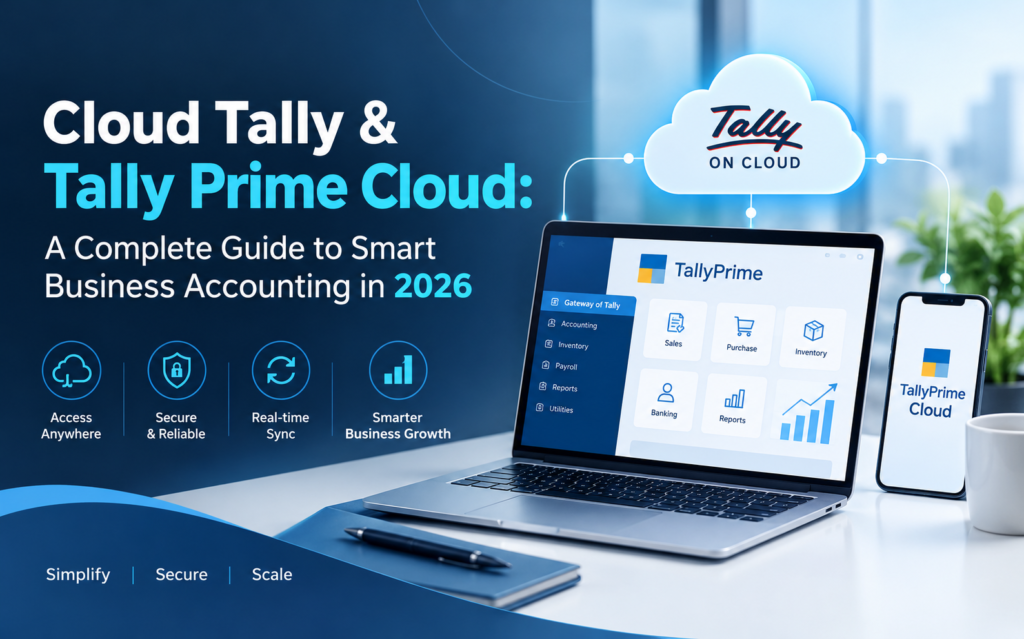
Managing business finances efficiently is essential for every growing organization. From GST billing and inventory tracking to financial reporting and daily accounting, businesses need reliable software that supports their operations without unnecessary complications.
Cloud Tally provides a flexible way to access Tally accounting software through cloud-hosted infrastructure. Instead of depending entirely on a single office computer, businesses can use Tally Prime Cloud to manage accounting activities remotely through an internet connection.
Whether you are a small business owner, accountant, CA firm, retailer, or growing enterprise, Tally cloud hosting can help improve accessibility, team collaboration, and operational efficiency.
In this guide, we explore how Cloud Tally works, its major features, business benefits, hosting considerations, and how to choose the right solution in India.
What Is Cloud Tally?
Cloud Tally refers to running Tally accounting software on a remotely hosted server or virtual computer, allowing authorized users to access their accounting environment through the internet.
Traditionally, TallyPrime is installed and operated on a local computer. While this approach works well for many businesses, it can create challenges when employees need access from different locations.
With Cloud Tally hosting, businesses can connect to their accounting software from their office, home, or other locations without physically accessing the original computer.
A properly configured cloud hosting environment can provide:
- Remote access to Tally accounting software
- Centralized business data management
- Multi-user collaboration according to licensing and server configuration
- Secure login and user permissions
- Scheduled data backups
- Flexible hosting resources
- Access across supported devices
Cloud Tally is particularly useful for companies operating from multiple offices or businesses that work with external accountants.
What Is Tally Prime Cloud?
Tally Prime Cloud is a cloud-hosted environment that allows businesses to use TallyPrime remotely while retaining its familiar accounting functionality.
TallyPrime supports essential business operations such as accounting, taxation, invoicing, inventory management, banking, and financial reporting.
When hosted on a cloud server, users can work with TallyPrime without being restricted to one physical office location.
For example, a business owner in Delhi can access accounting information while travelling, while an accountant in another city can work on authorized records through the same centralized environment.
This makes TallyPrime cloud hosting an attractive option for businesses that require flexibility and collaboration.
Key Features of Cloud Tally Hosting
1. Access TallyPrime Anytime, Anywhere
One of the most important benefits of Cloud Tally is remote accessibility.
Employees and business owners can connect to their hosted TallyPrime environment through supported remote desktop clients or browser-based access, depending on the hosting setup.
This enables teams to manage daily accounting tasks without being physically present in the office.
2. Multi-User Accounting Access
Businesses often require multiple employees to work with accounting data.
With the appropriate TallyPrime license and a properly configured cloud server, authorized users can collaborate on shared company data.
This is especially valuable for accounting teams, finance departments, and organizations operating multiple branches.
3. Secure Cloud Environment
Financial records contain confidential business information, making security a critical consideration.
A reliable Tally cloud hosting solution should provide access controls, secure connections, strong authentication, regular updates, and appropriate network security measures.
Businesses should also review where their data is stored and who can access server administration settings.
4. Automated Data Backups
Data loss can disrupt business operations and create serious accounting problems.
Cloud hosting providers may offer daily or scheduled backups to help businesses recover important accounting records after accidental deletion, corruption, or system failures.
Before selecting a service, verify the backup frequency, retention period, and restoration process.
5. Scalable Hosting Resources
As businesses grow, their accounting requirements may increase.
Cloud hosting offers the flexibility to upgrade server resources such as RAM, processing capacity, and storage when required.
This can help businesses accommodate larger accounting datasets and expanding teams.
6. Simplified IT Management
Maintaining local accounting infrastructure can require hardware management, software updates, and technical troubleshooting.
Managed Tally hosting can reduce some of these responsibilities by shifting server maintenance and infrastructure administration to the hosting provider.
Benefits of Tally Prime Cloud for Indian Businesses
Improved Business Flexibility
Employees can work remotely while accessing authorized accounting information. This supports distributed teams and businesses with multiple branches.
Better Team Collaboration
A centralized accounting environment can reduce the need to transfer data files manually between different computers.
Reduced Dependence on Office Hardware
Cloud hosting reduces reliance on a single office computer. Businesses still need suitable devices and internet connectivity, but the main hosting infrastructure is maintained remotely.
Easier Business Expansion
Businesses opening new offices can provide authorized employees with access to an existing hosted accounting environment instead of maintaining separate accounting installations at every location.
Business Continuity
Remote hosting can help maintain access when an individual office computer fails. However, actual continuity depends on the provider’s server availability, backup systems, and recovery arrangements.
Cloud Tally vs Traditional Desktop Tally
| Feature | Desktop Tally | Cloud Tally |
|---|---|---|
| Accessibility | Primarily local | Remote internet access |
| Multiple locations | Requires additional setup | Centralized access |
| Data storage | Local environment | Hosted server |
| Backups | Locally managed | Provider-managed options |
| Maintenance | Local IT responsibility | Hosting provider may assist |
| Scalability | Hardware dependent | Server resources can be upgraded |
| Internet requirement | Offline use possible | Required for cloud access |
Both options support accounting operations. The better choice depends on the company’s working model, budget, security needs, and technical requirements.
Who Should Use Cloud Tally?
Small and Medium Businesses: SMEs can manage accounting records without maintaining extensive local server infrastructure.
Chartered Accountants and Accounting Firms: CA firms can access client accounting environments remotely, subject to permissions and appropriate data separation.
Retailers and Wholesalers: Businesses managing sales, purchases, inventory, and GST records across locations can benefit from centralized access.
Manufacturing Companies: Finance teams can coordinate accounting operations across factories, warehouses, and administrative offices.
Multi-Branch Organizations: Businesses with offices in different cities can work through centrally hosted accounting infrastructure.
How Does Tally Prime Cloud Work?
The general process is straightforward.
Step 1: Choose a Cloud Hosting Plan
Select a plan based on the number of users, accounting data size, required server performance, and preferred backup arrangements.
Step 2: Configure the Cloud Server
The hosting provider prepares a compatible server or virtual desktop environment.
Step 3: Install and Activate TallyPrime
TallyPrime is installed and configured with an appropriate, valid software license.
Step 4: Transfer Existing Accounting Data
Existing company data can be securely migrated after creating and verifying a backup.
Step 5: Configure User Access
Authorized employees receive login credentials and permissions based on their responsibilities.
Step 6: Start Managing Accounts Remotely
Users connect to the hosted environment and perform their regular accounting activities.
How to Choose the Best Cloud Tally Hosting Provider in India
Choosing the right hosting partner is important for performance, security, and business continuity.
Before selecting a provider, evaluate the following factors:
- Server performance: Look for adequate CPU resources, RAM, and SSD or NVMe storage.
- Data security: Verify authentication, access controls, encryption options, and security policies.
- Backup facilities: Confirm backup frequency, retention, and recovery procedures.
- Technical support: Check the availability and scope of customer assistance.
- Scalability: Make sure the hosting plan can accommodate future requirements.
- Transparent pricing: Understand hosting fees, software licensing, taxes, and additional charges.
- Server availability: Review the service-level agreement and any uptime commitments.
A dependable provider should clearly explain what is included in the subscription rather than focusing only on the lowest advertised price.
Cloud Tally Pricing in India
The cost of Tally cloud hosting depends on several factors, including the number of users, server configuration, storage requirements, backup arrangements, and support services.
Single-user hosting environments generally require fewer resources than multi-user environments used by larger accounting departments.
Businesses should also distinguish between the cloud hosting subscription and the TallyPrime software license. These may be charged separately.
For available plans and updated pricing, explore Tally Cloud Hosting.
Why Choose Tally Cloud for Your Business?
Businesses increasingly need accounting solutions that support remote work, secure access, and collaboration.
Tally cloud hosting combines the familiar capabilities of TallyPrime with the accessibility of cloud infrastructure.
With the right hosting configuration, businesses can reduce dependence on office-based systems, simplify account access, and support employees working across different locations.
Whether you manage a small retail business or a growing organization, Cloud Tally can be a practical option for modernizing your accounting workflow.
Frequently Asked Questions (FAQs)
1. What is Cloud Tally?
Cloud Tally is a hosting arrangement that allows users to run and access Tally accounting software on a remote server through the internet.
2. What is Tally Prime Cloud?
Tally Prime Cloud refers to accessing TallyPrime through cloud-hosted infrastructure instead of relying exclusively on a locally installed accounting environment.
3. Can multiple users access TallyPrime on Cloud?
Yes. Multiple authorized users can work in a properly configured cloud environment, provided the TallyPrime licensing and hosting resources support the required setup.
4. Is Cloud Tally secure?
Cloud Tally can be secure when the provider implements appropriate authentication, encrypted connections, access controls, backups, and server security practices.
5. Can I access TallyPrime Cloud on a MacBook?
Yes, compatible browser-based or remote desktop solutions can allow Mac users to access a Windows-hosted TallyPrime environment. Compatibility depends on the hosting service.
6. Do I need a separate TallyPrime license for cloud hosting?
A valid TallyPrime license is required. Whether it is included in a package or charged separately depends on the provider and subscription arrangement.
7. Can I move existing Tally data to the cloud?
Yes. Existing company data can generally be migrated to a compatible cloud environment after a backup and compatibility checks.
8. Is internet access necessary for Cloud Tally?
Yes. Internet connectivity is required to connect to a remotely hosted TallyPrime environment.
Conclusion
Cloud Tally and Tally Prime Cloud offer businesses a practical way to access accounting software beyond the limitations of a single office computer.
With remote accessibility, centralized collaboration, flexible hosting resources, and suitable backup arrangements, cloud hosting can support more efficient accounting operations.
Before choosing a solution, evaluate your business requirements, licensing needs, data security expectations, and hosting provider’s service commitments.
Ready to move your accounting software to the cloud? Explore flexible Tally hosting solutions at TallyCloud.net and find a configuration that meets your business needs.