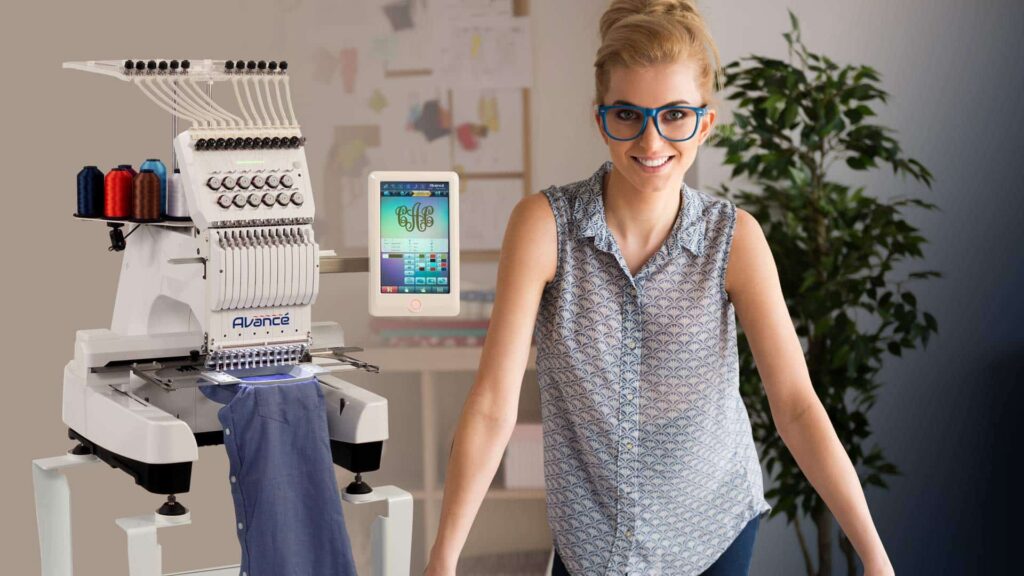
You have a beautiful logo—a crisp vector file or a meaningful image—that represents your brand. Now, you want to see it stitched onto a bag, hat, or polo with the precision your Pfaff embroidery machine is known for. But there’s a gap between that digital artwork and the physical thread. Your Pfaff machine doesn’t read pictures; it reads a specific set of instructions. Bridging this gap is the essential craft of knowing how to Convert Logo for Pfaff Embroidery Machines. This journey from artwork to stitches isn’t a simple export; it’s a translation process called digitizing, where artistic vision meets textile engineering. This guide will walk you through the professional workflow to ensure your logo is perfectly translated for your Pfaff, resulting in clean, durable, and professional embroidery.
The First Truth: It’s Digitizing, Not Converting
Let’s clarify the task upfront. You are not simply changing a file extension. A JPG, PNG, or even an AI file is visual data. Your Pfaff machine requires a stitch file—a coded set of commands telling the needle exactly where to go.
The professional process is digitizing. Think of it like this: your artwork is the architectural rendering of a house. The embroidery file is the complete set of construction blueprints, wiring diagrams, and material lists. An online “converter” just traces the rendering. A digitizer creates the buildable plans. For results worthy of your Pfaff, you need the plans.
Step 1: Preparing Your Artwork – The Foundation of Quality
Professional embroidery is built on a foundation of quality source material. This step cannot be overlooked.
1. Provide the Best Possible File:
-
Vector is Vital: If you have it, provide a vector file. Formats like .AI (Adobe Illustrator), .EPS, or .PDF contain clean, mathematical paths. This allows for infinite scaling and gives the digitizer razor-sharp lines to follow. It is the single biggest factor in achieving crisp embroidery.
-
If You Have a Raster Image (JPG, PNG): Use the highest resolution version available. A small, 72-DPI logo from your website will pixelate when enlarged. Increase contrast and remove any complex backgrounds before you begin.
2. Define the Context:
A professional will ask critical questions before they start. Be ready with answers:
-
What are you sewing on? (e.g., a cotton polo, a structured cap, a fleece jacket)
-
What is the final size? (e.g., 3 inches wide on the left chest)
-
Are there specific brand colors? (e.g., Pantone 185 C for red)
This context directly informs every technical decision in the digitizing process.
Step 2: The Digitizing Process – Where Art Becomes Instructions
This is where skilled human judgment transforms your logo. Using specialized software (like Wilcom Hatch or Embrid), a digitizer makes hundreds of decisions to build your stitch file.
Key Decisions in Professional Digitizing:
-
Stitch Type Assignment:
-
Fill Stitches: Used for solid background areas. The digitizer sets the density (stitches per inch/millimeter) based on your fabric.
-
Satin (Column) Stitches: Used for borders, text, and fine lines. They control the width and glossy finish.
-
Running Stitches: Used for very fine details or outlining.
-
-
Applying Textile Engineering:
-
Underlay: This is the non-negotiable foundation. It’s a series of stitches sewn first to stabilize the fabric, prevent puckering, and make top stitches look raised and professional. Skipping underlay is the #1 cause of amateur-looking results.
-
Pull Compensation: Fabric pulls under thread tension. The digitizer digitally widens shapes so they sew out to their correct visual size, ensuring your circle isn’t an oval.
-
Stitch Sequencing: They plan the optimal order to sew sections, minimizing thread trims and machine jumps for a clean, efficient sew-out.
-
Step 3: Understanding Pfaff-Specific File Formats
Your digitized design needs to be saved in a language your specific Pfaff model understands. The primary format for most modern Pfaff HOME embroidery machines is .PES. However, you may also encounter:
-
.PES: The standard for Pfaff Creative™ and other home/hobbyist series machines.
-
.PXF: A common format within the Pfaff and Viking software ecosystem. This is often an editable project file used in software like Pfaff Creative Designer, not just a final stitch file.
-
.VP3: Another native format for Pfaff/Viking/Husqvarna machines.
Your Action: Check your machine manual or look up your specific model online. When in doubt, .PES is a safe bet for most home models. A professional digitizing service will always provide the correct format for your machine upon request.
Step 4: The Critical Test Sew – Validating the Translation
No professional job is complete without physical proof. Before the file is final, a reputable service will validate their work, and you must too.
-
Professional Proofing: Many services provide a digital stitch simulation. Some, for critical jobs, will do a physical test sew on similar fabric.
-
YOUR Mandatory Test: Always run the new file on a scrap piece of the exact fabric and stabilizer you plan to use for the final garment. Hoop it properly and stitch it out.
-
Analyze the Result: Look for puckering, misalignment of colors (registration), or loose stitches. This test tells you if the digitizing is perfect for your specific setup.
Why Professional Services Outperform DIY & Auto-Converters
It’s tempting to look for a cheap, quick fix. Here’s why that path fails:
-
Auto-Converting Websites: These algorithmic tools have zero understanding of fabric, tension, or underlay. They create dense, inefficient files that cause puckering, thread breaks, and look unprofessional. They are not digitizing; they are mindlessly filling shapes.
-
The DIY Learning Curve: Professional digitizing software is powerful but complex. Mastering it to produce reliable, high-quality files takes significant time and practice. For a one-off logo, the investment in software and learning is often greater than the fee for a professional service.
A professional service delivers a file engineered for success on the first try, saving you time, money, and frustration from wasted materials.
How to Choose and Work with a Digitizing Service
-
Find a Specialized Provider: Look for services that explicitly mention embroidery digitizing, not generic “file conversion.”
-
Provide Clear Information: When ordering, specify: (1) Your machine brand (Pfaff), (2) Your likely file format (.PES), (3) Your target garment and size, (4) Your high-quality logo file.
-
Ask About Revisions: A good service will offer minor adjustments to ensure the file sews perfectly for you.
-
Expect Realistic Timing: Quality digitizing is not instant. A 24-48 hour turnaround for a professional file is standard and worth the wait for guaranteed results.
Conclusion: Empowering Your Pfaff with Perfect Instructions
The journey From Artwork to Stitches is a rewarding one when done correctly. Learning how to Convert Logo for Pfaff Embroidery Machines is about respecting the craft and the capability of your machine. Your Pfaff is a precision instrument designed for excellent results, but it can only execute the instructions it’s given.
By investing in professional digitizing—starting with quality artwork and ending with a tested, machine-specific file—you provide it with a blueprint for excellence. This process ensures your logo is not just stitched, but is engineered to be durable, clean, and visually striking. It transforms your branded apparel from a simple commodity into a professional representation of your attention to detail. Partner with a professional digitizer, and watch your Pfaff truly bring your logo to life, one perfect stitch at a time.