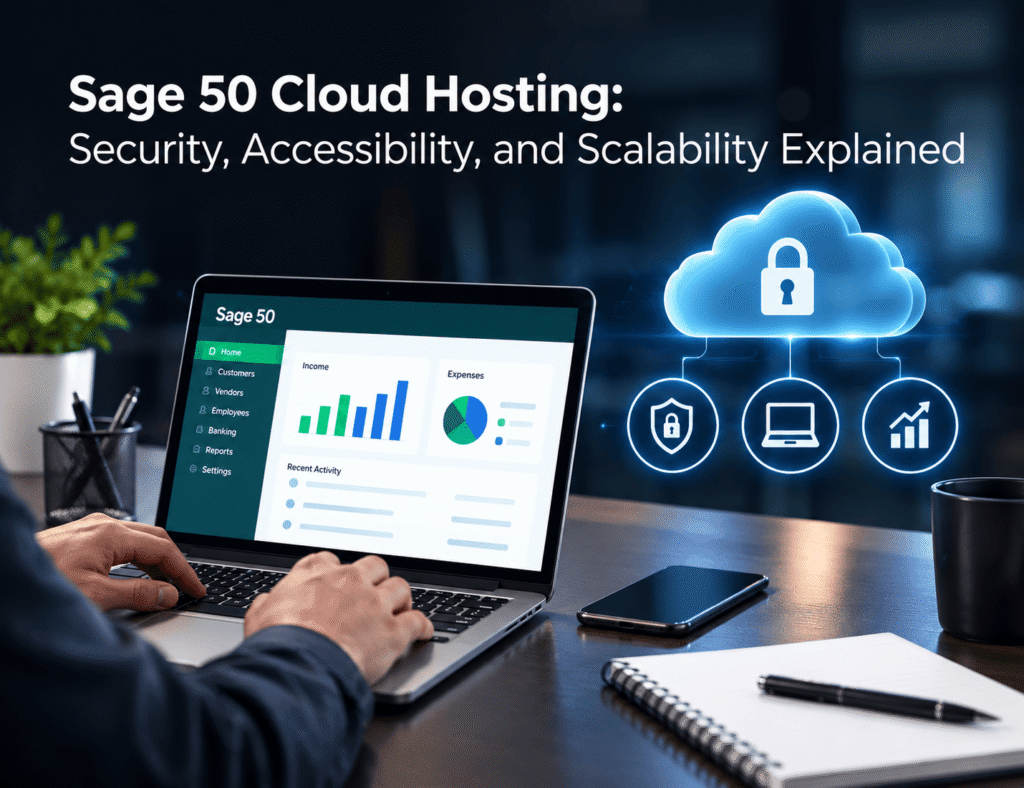
Accounting teams increasingly need to work beyond the traditional office. Employees may work from home, accountants may support clients from different locations, and business owners may need financial information while traveling. When Sage 50 is tied to a single office computer or local server, these changing work patterns can create unnecessary limitations. Sage 50 cloud hosting offers an alternative by placing the accounting software in a hosted cloud environment that authorized users can access remotely. Instead of depending entirely on local hardware, businesses can work with Sage 50 through a centrally managed setup.
But remote access is only one part of the equation. Businesses also need to consider how their accounting data is protected, how easily employees can access Sage 50, whether the environment can accommodate growth, and what type of technical support they can expect.
For organizations considering the move, understanding security, accessibility, scalability, and provider capabilities can make the decision much easier.
What Is Sage 50 Cloud Hosting?
Sage 50 cloud hosting allows businesses to run their Sage 50 accounting software on a remote cloud server rather than keeping the application exclusively on a local computer or office server.
Authorized users connect to the hosted environment through an internet-enabled device. The software and accounting data remain within the hosted infrastructure, giving users a centralized environment for their accounting activities.
It is important to distinguish cloud hosting from simply storing Sage 50 files online. Cloud storage provides a location for saving files, while hosted Sage 50 provides access to the software itself through a remote environment.
This setup can be useful for businesses that have remote employees, distributed accounting teams, multiple offices, or external accountants who need controlled access to Sage 50.
Security Should Come First
Financial information requires careful protection. Payroll records, customer information, transaction histories, tax data, and other accounting records can create significant business risks if unauthorized individuals gain access.
Moving Sage 50 to the cloud does not eliminate security responsibilities, but it can allow businesses to place infrastructure management in the hands of a specialized hosting provider.
User Access and Permissions
A hosted environment can provide user authentication and permission controls that help businesses determine who can access accounting applications and information.
For example, an accounting manager may require broader access than an employee who only handles specific bookkeeping tasks. Assigning access according to job responsibilities can reduce unnecessary exposure to sensitive financial information.
Businesses should ask hosting providers how user accounts are managed and what options are available for controlling access.
Backups and Data Protection
Data backup is another important consideration. Hardware failures, accidental deletion, software issues, or other unexpected events can affect accounting information.
A cloud hosting provider may offer managed backup services as part of its hosting environment. Businesses should confirm how frequently backups occur, how long backup copies are retained, and what procedures are available for restoring data.
A backup is useful only when the business can reliably recover the information it needs.
Infrastructure-Level Security
Cloud hosting also shifts some infrastructure responsibilities away from the business. Depending on the provider and plan, this may include server maintenance, security monitoring, updates, and other administrative tasks.
However, businesses should never assume that every hosting provider offers the same level of protection. Before choosing a provider, review its security practices, access controls, backup policies, and support procedures.
Accessibility for Modern Accounting Teams
Accessibility is one of the biggest reasons businesses consider moving Sage 50 to a hosted environment.
A traditional installation can make accounting software closely tied to specific computers. Employees working from another location may need additional remote-access tools or may have to transfer files between systems.
With a hosted environment, authorized users can connect to the same Sage 50 setup remotely.
Supporting Remote Employees
Imagine an accounting team with employees working from New York, Texas, and California. Keeping everyone connected through a locally installed Sage 50 environment can become complicated.
A centralized hosted environment can give authorized users a common workspace while reducing the need to maintain separate accounting installations across locations.
This can also benefit businesses that use hybrid work arrangements. Employees can access the accounting environment without needing to be physically present in the office.
Helping Accountants Work With Clients
Cloud hosting can also be useful for accounting firms and professionals who work with multiple businesses.
Instead of depending on a client’s physical office computer, authorized professionals can potentially access a hosted accounting environment remotely. This can make collaboration easier while allowing businesses to retain control over who receives access.
Of course, the exact level of access depends on the Sage 50 edition, licensing, hosting configuration, and user permissions.
Scalability as the Business Grows
A business that has five accounting users today may have ten or twenty in the future. It may also open another location, introduce additional applications, or change its remote-work requirements.
A scalable hosting environment can help businesses adapt without building an entirely new physical infrastructure every time requirements change.
Adding Users
Growing businesses may need additional user accounts as employees join the accounting team. Depending on the hosting plan and Sage 50 licensing, businesses may be able to expand access as their requirements change.
Before selecting a provider, confirm how additional users are handled and whether additional licensing or hosting resources are required.
Adjusting Infrastructure
Cloud environments can also provide more flexibility around infrastructure resources than fixed local hardware.
Businesses should evaluate how a hosting provider handles resource changes, performance requirements, and future growth. A solution that works well for a small accounting team may need different resources as usage increases.
Sage 50 Cloud Hosting vs. Traditional Local Hosting
Both approaches have advantages, and the right choice depends on business requirements.
| Factor | Local Sage 50 Setup | Cloud-Hosted Sage 50 |
|---|---|---|
| Access | Primarily tied to local infrastructure | Remote access for authorized users |
| Hardware | Business manages local equipment | Hosting provider manages cloud infrastructure |
| Remote work | May require additional solutions | Designed for remote connectivity |
| Maintenance | Managed internally | Often handled by hosting provider |
| Scalability | Dependent on existing hardware | Resources can be adjusted based on the setup |
| Backups | Business manages backup processes | Backup services may be included |
| Technical support | Usually internal or separate | Hosting provider may provide support |
Local hosting can still work well for businesses with straightforward requirements and an established IT environment.
Cloud hosting becomes more attractive when remote accessibility, centralized management, reduced hardware responsibilities, and flexible infrastructure are important priorities.
Why the Hosting Provider Matters
Choosing cloud hosting is only the beginning. The provider behind the environment can influence the overall experience.
A low monthly price may look attractive, but businesses should consider what they receive for that cost.
Sage 50 Compatibility
Start by confirming that the provider supports the Sage 50 edition and version your business uses. Software compatibility should be established before migration.
Businesses should also understand whether future Sage 50 updates or upgrades are supported and how those changes will be handled.
Migration Assistance
Moving accounting software and data from a local system to a hosted environment can require planning.
Migration may involve transferring Sage 50 data, configuring users, testing access, and verifying that accounting information works correctly after the move.
Providers that offer migration assistance can reduce the technical workload for businesses that do not have extensive internal IT resources.
Technical Support
Technical issues can become disruptive when accounting software is essential to daily operations.
Businesses should ask whether support is available during their working hours, what types of issues are covered, and how the provider handles software or connectivity problems.
Why Businesses Choose Apps4Rent for Sage 50 Cloud Hosting
For businesses looking for a managed approach to hosted accounting software, Apps4Rent offers Sage 50 cloud hosting designed to support remote access and centralized accounting operations.
The service can help businesses move Sage 50 away from a purely local environment while providing access to hosted infrastructure. This can be particularly useful for organizations that want employees or accounting professionals to work with Sage 50 from different locations.
Apps4Rent also provides hosting-related services such as migration assistance, backups, technical support, and managed infrastructure, depending on the selected hosting arrangement.
The goal is not simply to put Sage 50 on a remote server. A well-managed hosting environment should address the practical requirements that businesses face after migration, including user access, data protection, infrastructure management, and ongoing support.
Businesses considering a move can review the Apps4Rent Sage 50 Cloud Hosting service to understand the available hosting options and determine whether they align with their accounting requirements.
How to Decide If Cloud Hosting Is Right for Your Business
Sage 50 cloud hosting can be a practical option for businesses that need more flexibility around accounting access and infrastructure management.
It may be particularly useful for:
- Small and midsize businesses with remote or hybrid employees
- Accounting firms managing distributed teams
- Businesses operating across multiple locations
- Companies that want centralized access to Sage 50
- Organizations looking to reduce dependence on local server hardware
- Businesses that prefer managed infrastructure and technical support
However, cloud hosting is not automatically the right choice for every company.
Businesses should consider their Sage 50 edition, number of users, licensing requirements, internet connectivity, security policies, budget, application dependencies, and long-term growth plans.
A clear evaluation of these factors can prevent unexpected costs or compatibility issues later.
Questions to Ask Before Choosing a Sage 50 Hosting Provider
Before signing up for a hosting service, ask potential providers:
Does the service support my Sage 50 version?
Confirm compatibility before migration. This includes checking the specific edition and version used by your business.
1. How are backups handled?
Understand backup frequency, retention, storage, and restoration procedures.
2. How is user access controlled?
Ask about authentication, permissions, and how administrators can add or remove users.
3. What happens during a technical problem?
Find out when support is available and whether the provider handles application, server, and connectivity-related issues.
4. Can the environment grow with my business?
Ask how additional users, storage, applications, or infrastructure resources are handled as requirements change.
These questions can help businesses compare providers based on actual operational needs rather than monthly pricing alone.
Conclusion
Sage 50 cloud hosting can give businesses greater flexibility without requiring them to build and maintain all of the infrastructure needed for remote accounting access themselves. Centralized access, managed infrastructure, backup options, user controls, and scalability can make the model useful for organizations with changing workplace requirements.
The choice of provider remains important. Businesses should look beyond basic access and evaluate security practices, Sage 50 compatibility, migration assistance, technical support, backup procedures, and the ability to accommodate future growth.
For organizations considering a managed approach, Apps4Rent provides Sage 50 cloud hosting options that can support remote accounting operations and reduce the infrastructure responsibilities associated with maintaining Sage 50 locally. Reviewing the available service options can help businesses determine whether a hosted environment is the right next step for their accounting workflow.