Compare Adobe Analytics and GA4 across reporting flexibility, data architecture, implementation, governance, scalability, integrations, and enterprise analytics needs.
Choosing an enterprise analytics platform is not simply a question of which tool has more reports or a better-looking dashboard. Large organizations need to consider data architecture, reporting flexibility, governance, integrations, scalability, implementation effort, and how easily analysts can turn customer data into business decisions.
The Adobe Analytics vs Google Analytics debate is especially relevant for organizations managing multiple websites, apps, brands, regions, marketing channels, and customer journeys.
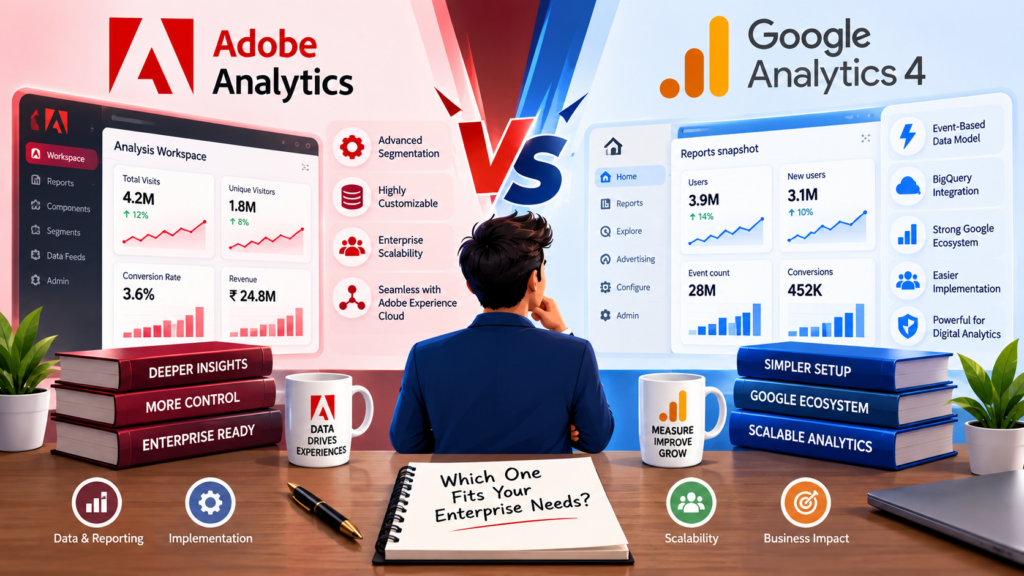
Google Analytics 4 (GA4) uses an event-based data model and integrates closely with the Google marketing and cloud ecosystem. Adobe Analytics provides a highly customizable analytics environment with Analysis Workspace, advanced segmentation, reporting components, data feeds, APIs, and integrations across Adobe’s broader Experience Cloud.
So, which platform is better for enterprise reporting?
The answer depends on your organization’s data strategy and reporting requirements.
Adobe Analytics vs Google Analytics: Quick Comparison
| Feature | Adobe Analytics | Google Analytics 4 |
|---|---|---|
| Enterprise reporting | Excellent | Excellent |
| Reporting flexibility | Very high | High |
| Custom segmentation | Advanced | Advanced |
| Event-based tracking | Supported | Core architecture |
| Custom metrics and dimensions | Extensive | Extensive |
| Data exploration | Analysis Workspace | Explorations |
| Raw data access | Data Feeds, Data Warehouse, APIs | BigQuery Export |
| Marketing ecosystem | Adobe Experience Cloud | Google Marketing Platform |
| Implementation complexity | Higher | Generally lower |
| Learning curve | Steeper | Easier for many teams |
| Enterprise governance | Strong | Strong, especially with 360 |
| Best fit | Complex enterprise analytics | Scalable digital analytics and Google ecosystem |
| Migration complexity | Significant | Significant when replacing legacy platforms |
There is no universal winner. The better choice depends on what your enterprise needs from analytics.
What Is Adobe Analytics?
Adobe Analytics is an enterprise digital analytics platform designed to collect, analyze, segment, and report on customer interactions across digital experiences.
One of its major strengths is reporting flexibility. Adobe’s Analysis Workspace provides a browser-based environment where analysts can create custom analyses using dimensions, metrics, segments, date ranges, visualizations, and other components. Projects can also be shared and scheduled for stakeholders.
Adobe also provides several options for working with analytics data, including Analysis Workspace, Report Builder, Data Warehouse, Data Feeds, and Analytics APIs.
This makes Adobe Analytics particularly attractive to organizations where different departments require highly customized reporting.
For example, an enterprise retailer might need separate reporting for:
- Product discovery
- Search behavior
- Checkout performance
- Customer loyalty
- Marketing campaigns
- Regional performance
- Mobile applications
- Repeat purchases
- Customer journeys
Adobe Analytics can be configured around these complex reporting requirements.
What Is Google Analytics 4?
Google Analytics 4 is Google’s modern analytics platform for websites and applications. Its event-based architecture is designed to measure interactions across digital properties and provide reporting, exploration, audience analysis, and integration with Google’s broader ecosystem.
GA4 becomes particularly powerful for organizations already using products such as Google Ads, BigQuery, Looker, Search Ads, or other Google Cloud services.
One of its major enterprise advantages is BigQuery integration. GA4 can export raw event data to BigQuery, where organizations can query the data using SQL and combine it with other enterprise datasets.
Google Analytics 360 also increases several platform limits, including exploration limits, audience capacity, data retention options, and BigQuery export capabilities.
For organizations already invested heavily in Google Cloud, this ecosystem can significantly influence the analytics decision.
GA4 vs Adobe Analytics Enterprise: Key Differences
1. Reporting Flexibility
Reporting flexibility is one of the biggest differences to evaluate.
Adobe Analytics gives analysts considerable control over how reports are constructed. Analysis Workspace uses panels, visualizations, dimensions, metrics, segments, and calculated components to create customized analyses.
This can be useful when different business units need specialized reporting structures.
GA4 also provides flexible reporting through standard reports and Explorations. However, its reporting experience is more closely tied to Google’s event-based model.
For straightforward digital reporting, GA4 can be easier to adopt. For organizations that require highly customized analytics workflows, Adobe Analytics may provide greater flexibility.
Enterprise winner: Adobe Analytics
2. Data Collection and Implementation
Implementation is another important consideration.
Adobe Analytics supports multiple implementation approaches. Adobe currently recommends using the Adobe Experience Platform Web SDK and Tags for new implementations, allowing data to move through the Adobe Experience Platform Edge Network into Adobe Analytics.
This provides significant flexibility but can also make implementation more complex.
GA4 generally has a lower barrier to entry, particularly for organizations already familiar with Google Tag Manager and Google’s event-based measurement model.
However, enterprise implementations can become complicated regardless of platform. Large organizations must define:
- Event taxonomy
- Naming conventions
- Data ownership
- User identification
- Consent management
- Custom dimensions
- Custom metrics
- Cross-domain tracking
- Mobile measurement
- Data governance
Therefore, the real question is not simply which platform is easier to install. It is which architecture can support your long-term analytics strategy.
Enterprise simplicity winner: GA4
Enterprise customization winner: Adobe Analytics
3. Data Exploration and Analysis
Adobe Analytics is particularly strong when analysts need to build custom investigations.
Analysis Workspace allows analysts to construct projects using drag-and-drop components, visualizations, metrics, dimensions, and segments. Projects can then be shared with stakeholders.
GA4 provides Explorations for deeper analysis and supports different reporting surfaces, including standard reports, Explorations, the Data API, and BigQuery. Google notes that these surfaces can present data differently because they operate at different levels of granularity and use different processing methods.
For analysts who want a highly configurable workspace, Adobe often has an advantage.
For organizations that prefer a Google-centered analytics and data warehouse workflow, GA4 plus BigQuery can be extremely powerful.
4. Raw Data and Data Warehouse Integration
Modern enterprises increasingly want analytics data outside the analytics interface.
GA4 has a strong advantage here because Google provides native BigQuery Export. Organizations can export raw events and query them using SQL. BigQuery can also combine Analytics data with other enterprise datasets.
Adobe Analytics also provides enterprise data access through Data Feeds, Data Warehouse, and Analytics APIs. Adobe’s product comparison documentation specifically identifies Data Feeds as providing hit-level data, while other tools provide different levels of granularity.
Therefore, both platforms can support advanced enterprise data architectures.
The difference is largely ecosystem preference.
Choose GA4 when your organization already has a mature Google Cloud and BigQuery environment.
Choose Adobe when analytics is part of a broader Adobe Experience Cloud architecture.
5. Enterprise Governance
Enterprise reporting requires more than dashboards.
Organizations must control:
- Who can access data
- Which teams can modify tracking
- How sensitive information is handled
- How metrics are defined
- Which reports are considered authoritative
- How data is retained
- How analytics data is integrated with other systems
Adobe provides administrative controls and structured access around its Analytics environment. Its documentation also provides multiple tools for retrieving and managing analytics data.
GA4, particularly Google Analytics 360, provides additional enterprise capabilities and integrates with Google Cloud permissions and data infrastructure.
The correct choice should therefore be based on your organization’s existing identity, security, privacy, and data governance architecture.
6. Scalability
Both platforms can support large organizations, but scalability should not be measured only by the number of website visitors.
An enterprise analytics platform must scale across:
- Millions of events
- Multiple websites
- Mobile applications
- Multiple countries
- Multiple business units
- Different currencies
- Multiple marketing teams
- Large analyst teams
- Data warehouses
- Customer data platforms
GA4 360 increases limits for several enterprise features and supports significantly larger BigQuery export volumes than standard properties.
Adobe Analytics is also designed for enterprise-scale implementations with extensive reporting and data-management capabilities.
The best platform is therefore the one that fits the organization’s entire data architecture rather than simply the one that handles the most traffic.
Enterprise Digital Analytics Comparison: Adobe vs GA4
When conducting an enterprise digital analytics comparison, it helps to score both platforms against actual business requirements.
| Business Requirement | Better Fit |
|---|---|
| Simple web and app analytics | GA4 |
| Google Ads integration | GA4 |
| BigQuery-centered analytics | GA4 |
| Highly customized reporting | Adobe Analytics |
| Complex segmentation | Adobe Analytics |
| Adobe Experience Cloud ecosystem | Adobe Analytics |
| Analyst-driven exploratory reporting | Adobe Analytics |
| Fast initial implementation | GA4 |
| Large-scale enterprise governance | Both |
| Existing Adobe investment | Adobe Analytics |
| Existing Google Cloud investment | GA4 |
This table should not be interpreted as an absolute ranking. Enterprise architecture matters more than isolated features.
Adobe Analytics Migration: What Should Enterprises Consider?
Organizations considering Adobe Analytics migration should avoid treating migration as a simple tag replacement.
Moving from GA4 to Adobe Analytics, or from Adobe Analytics to GA4, can change how data is collected, processed, defined, reported, and interpreted.
Before migration, document your existing analytics environment.
Step 1: Inventory existing tracking
Document:
- Events
- Parameters
- Dimensions
- Metrics
- User identifiers
- Campaign tracking
- Conversion events
- Audiences
- Custom reports
- Data exports
- API integrations
Step 2: Identify critical reports
Not every existing report needs to be recreated.
Identify reports used by:
- Executives
- Marketing teams
- Product teams
- Ecommerce teams
- Finance
- Customer experience teams
- Data science teams
Then classify them as critical, useful, or obsolete.
Step 3: Create a measurement framework
Define exactly what each business metric means.
For example:
Revenue should have one agreed definition.
Conversion rate should have one documented calculation.
Active customer should have clear inclusion and exclusion rules.
This prevents the migration from creating two competing versions of the truth.
Step 4: Map the data model
Create a mapping between the old and new platforms.
For example:
| Existing GA4 Concept | Adobe Analytics Consideration |
|---|---|
| Event | Event / tracking implementation |
| User property | eVar or other appropriate component |
| Event parameter | Dimension, eVar, prop, or event depending on use case |
| Conversion event | Success event |
| Audience | Segment |
| User ID | Identity strategy |
| Campaign data | Marketing channel / campaign implementation |
The mapping should be based on business requirements rather than a simple one-to-one translation.
Step 5: Run both systems during validation
For critical implementations, consider running the existing and new platforms in parallel.
Compare:
- Users
- Sessions
- Events
- Conversions
- Revenue
- Campaign attribution
- Ecommerce transactions
Expect some differences. Analytics platforms can use different processing rules, attribution logic, definitions, and reporting methodologies.
The goal is not necessarily identical numbers. The goal is understanding why numbers differ and ensuring the new platform produces trustworthy business reporting.
Adobe also provides guidance around existing implementations and implementation review activities, reinforcing the importance of auditing and documenting analytics environments.
When Should an Enterprise Choose Adobe Analytics?
Adobe Analytics may be the stronger choice when an organization needs highly customized enterprise reporting.
Consider Adobe when:
- Your analytics team requires advanced custom analysis.
- You already use Adobe Experience Cloud extensively.
- Multiple business units need different reporting structures.
- Analysts frequently build complex segmentation and analysis projects.
- You need extensive customization of analytics components.
- Your organization has mature Adobe implementation expertise.
- Your digital analytics program requires deep analyst control.
Adobe’s Analysis Workspace is specifically positioned as the primary reporting and analysis interface within Adobe Analytics.
When Should an Enterprise Choose GA4?
GA4 may be the better choice when an organization wants analytics tightly connected to Google’s ecosystem.
Consider GA4 when:
- Your organization heavily uses Google Ads.
- BigQuery is already part of your data architecture.
- Your marketing teams depend on Google products.
- You want an event-based measurement model.
- You need strong website and app measurement.
- You want a relatively accessible analytics interface.
- Your organization plans to use Google Analytics 360 for enterprise requirements.
GA4’s BigQuery integration is particularly valuable for enterprises building centralized analytics environments because raw event data can be exported and queried alongside other datasets.
Adobe Analytics vs Google Analytics: Which One Should You Choose?
There is no universal winner.
Choose Adobe Analytics if your priority is advanced customization, complex enterprise reporting, analyst flexibility, and integration with Adobe’s ecosystem.
Choose GA4 if your priority is Google’s marketing ecosystem, BigQuery integration, event-based analytics, and a comparatively accessible implementation model.
For organizations starting a new analytics program, GA4 can be an efficient choice when the company already operates heavily within Google Cloud.
For organizations with sophisticated Adobe implementations, Adobe Analytics can provide a powerful environment for detailed enterprise analysis.
And for companies considering a migration, the decision should be based on business requirements rather than platform popularity.
Final Takeaway
The Adobe Analytics vs Google Analytics decision is ultimately an architecture decision.
GA4 is particularly compelling when analytics needs to connect tightly with Google Ads, Google Cloud, BigQuery, and other Google technologies.
Adobe Analytics stands out when an enterprise needs highly customized reporting, flexible analysis, sophisticated segmentation, and deep integration with Adobe’s Experience Cloud.
Neither platform automatically produces better insights. The quality of the measurement strategy, implementation, governance, data model, and analyst workflows often matters more than the logo on the dashboard.
Before selecting or migrating platforms, create a requirements matrix covering reporting, data collection, governance, integrations, scalability, analyst workflows, costs, and future customer-data requirements.
That turns the question from “Which analytics tool is better?” into the much more useful question: “Which analytics architecture will serve our enterprise for the next five years?”