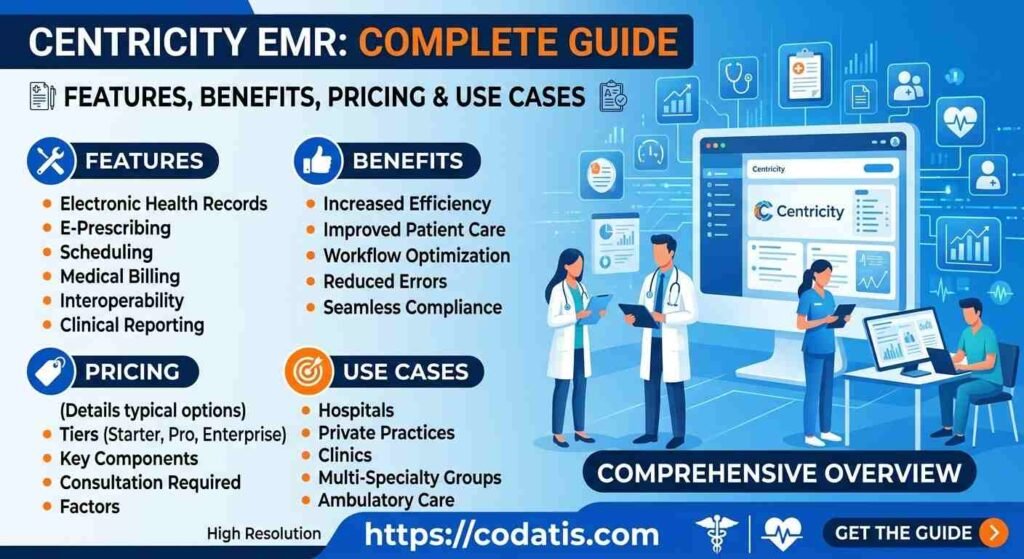
Selecting an electronic medical record system is not a one-size-fits-all decision. Small clinics, independent physicians, and growing medical groups often have different priorities from large healthcare organizations. While an established platform may offer broad functionality, a smaller practice may prefer a solution that is easier to implement, simpler to manage, or more flexible as the organization grows.
Centricity EMR is one option healthcare organizations may evaluate, but practices should also investigate alternatives before making a long-term commitment. The right alternative depends on specialty, provider count, workflow complexity, budget, integrations, reporting requirements, and the level of administrative support needed.
This guide explores what small and growing practices should look for in an alternative and how to compare different systems without focusing only on feature counts.
Why Consider an Alternative?
There are several reasons a medical practice may explore alternatives to an existing EMR.
A practice might want:
- A simpler user interface
- Faster implementation
- Lower ownership costs
- Better mobile access
- Easier customization
- More modern patient engagement tools
- Stronger specialty-specific workflows
- Better customer support
- More flexible integrations
The goal should not simply be to replace one platform with another. The objective is to identify technology that solves the practice’s current problems while supporting future growth.
What Should Small Practices Look For?
Small medical practices usually have limited staff and resources. Physicians may also be responsible for many administrative decisions.
That makes usability particularly important.
Easy Clinical Documentation
Providers should be able to document patient encounters efficiently without spending excessive time navigating complicated screens.
When evaluating an alternative, ask:
- How quickly can a provider create a note?
- Are templates customizable?
- Can previous patient information be reviewed easily?
- Does the system support specialty-specific documentation?
A system that saves several minutes per encounter can have a significant impact across hundreds of appointments.
Straightforward Scheduling
Front-office staff need scheduling tools that are easy to understand.
Important capabilities may include:
- Provider calendars
- Appointment types
- Recurring appointments
- Cancellations
- Rescheduling
- Reminders
- Multi-location scheduling
Small practices should avoid systems that require excessive administrative steps for routine scheduling tasks.
Billing and Revenue Cycle
Billing is another major consideration when evaluating alternatives.
A practice should examine how the system handles:
- Coding
- Claims
- Insurance information
- Payment posting
- Denials
- Patient balances
- Financial reports
An integrated workflow can help reduce the need for staff to move information manually between clinical and billing systems.
However, practices should determine whether billing is included within the standard package or requires an additional module or service.
Patient Engagement
Patients increasingly expect healthcare organizations to offer convenient digital communication.
Potential patient-facing capabilities include:
- Online appointment requests
- Secure messaging
- Digital forms
- Appointment reminders
- Access to selected records
- Payment options
- Telehealth
A strong patient experience can help reduce unnecessary phone calls while giving patients more flexibility.
When comparing centricity emr alternatives, practices should evaluate patient-facing tools as carefully as clinical functionality.
Cloud Accessibility
Growing practices may need staff to work from different locations.
Cloud-based healthcare software can provide more flexible access to authorized users, depending on the platform and configuration.
However, accessibility should always be evaluated alongside:
- Security
- Authentication
- User permissions
- Reliability
- Data protection
- Backup procedures
A practice should not select a cloud solution simply because it can be accessed through a browser.
Alternatives for Different Practice Types
The best alternative can vary significantly depending on the organization.
Solo and Small Practices
A solo physician or small clinic may prioritize:
- Affordable pricing
- Simple workflows
- Easy implementation
- Scheduling
- Documentation
- Billing
- Patient communication
Complex enterprise functionality may not provide enough value to justify additional cost or training.
Growing Medical Groups
A growing organization needs technology that can scale.
Important considerations may include:
- Additional providers
- Multiple locations
- User permissions
- Advanced reporting
- Integrations
- Centralized administration
- Flexible scheduling
A system that works for five providers may become difficult to manage when the organization reaches 25 or 50 providers.
Specialty Practices
Specialty organizations should prioritize workflow fit.
For example, a behavioral health clinic may need different documentation and scheduling capabilities than an orthopedic practice.
Rather than selecting a system based on general popularity, specialty practices should test workflows specific to their services.
Popular Types of Alternatives
Instead of automatically choosing one competitor, practices can evaluate several categories of healthcare software.
All-in-One EHR Platforms
These systems combine clinical records with scheduling, billing, patient engagement, and administrative tools.
They may be attractive to practices that want fewer separate applications.
Specialty-Focused Systems
These platforms are designed around the workflows of a particular medical specialty.
They may provide more specialized templates and processes than general-purpose systems.
Cloud-Based EHR Platforms
These solutions can provide browser-based or remote access and may reduce some local infrastructure requirements.
They can be useful for practices with distributed staff or multiple locations.
Practice Management-Focused Platforms
Some organizations may prioritize scheduling, billing, claims, and administrative workflows more heavily than advanced clinical functionality.
The right category depends on the practice’s primary operational challenges.
Key Alternatives to Research
Practices comparing established healthcare software can investigate platforms such as:
- NextGen Healthcare
- AdvancedMD
- eClinicalWorks
- Practice Fusion
- athenahealth
- Tebra
- DrChrono
These systems differ in pricing models, target markets, functionality, integrations, user experience, and implementation approaches.
Instead of asking which platform is universally “best,” ask which one best fits your practice.
How to Compare Alternatives
Create a standardized scorecard before scheduling demonstrations.
| Category | Questions to Ask |
| Clinical | Does documentation fit our specialty? |
| Scheduling | Can staff manage appointments efficiently? |
| Billing | Does it support our revenue-cycle workflow? |
| Patient engagement | Are digital communication tools available? |
| Usability | Can staff learn the system quickly? |
| Integrations | Does it connect with required applications? |
| Reporting | Can administrators create important reports? |
| Security | Are appropriate access controls available? |
| Scalability | Can it support future growth? |
| Support | What assistance is available after implementation? |
| Cost | What is the total ownership expense? |
This method makes comparisons more objective.
Consider Implementation Before Switching
Changing an EMR is not simply a software purchase.
The organization may need to plan:
Data Migration
Determine which patient information can be transferred and how the new system will validate migrated data.
Staff Training
Employees need time to learn new workflows before the system becomes part of everyday operations.
Workflow Redesign
Switching platforms can be an opportunity to remove unnecessary processes.
For example, if staff currently enter the same information into three different systems, a new integrated solution may reduce that duplication.
Go-Live Planning
The practice should establish a detailed launch plan, including technical testing, staff preparation, data validation, and support.
Cost vs Value
Price should not be the only deciding factor.
A low-cost platform may become expensive if it requires extensive manual work, additional integrations, or frequent technical assistance.
Likewise, an expensive system may provide poor value if the practice uses only a small percentage of its functionality.
When evaluating centricity emr software, compare the total cost with measurable operational benefits.
Consider:
- Staff time saved
- Reduced duplicate data entry
- Faster documentation
- Improved scheduling
- Better billing workflows
- Patient convenience
- Reporting efficiency
What to Ask During a Demo
A vendor demonstration should be based on real scenarios.
Ask the vendor to demonstrate:
- New patient registration
- Appointment scheduling
- Clinical documentation
- Prescription workflow
- Billing
- Patient communication
- Reporting
- Data export
- User management
- Integration with existing systems
Do not allow the demonstration to become a marketing presentation.
Ask staff members to perform tasks themselves if possible.
This can reveal usability issues that are difficult to identify from a standard presentation.
Signs That an Alternative May Be Better
A practice may benefit from considering a different platform if its current system:
- Requires excessive manual work
- Is difficult for staff to navigate
- Does not support important specialty workflows
- Has limited integration options
- Creates billing inefficiencies
- Provides inadequate reporting
- Has poor patient-facing functionality
- Is difficult to scale
- Has support problems
- Costs significantly more than its operational value
These issues should be documented before beginning the search.
How to Make the Final Decision
After demonstrations, narrow the list to two or three solutions.
Then compare them based on actual practice requirements.
A useful decision process is:
Identify problems → Define requirements → Research alternatives → Request demos → Test workflows → Compare costs → Check implementation → Select the best fit
This prevents the decision from being driven by advertising or isolated feature claims.
Conclusion
The best EMR alternative for a small or growing medical practice depends on the organization’s specific needs rather than simply the number of features a platform offers. Practices should consider usability, clinical workflows, scheduling, billing, patient engagement, integrations, scalability, implementation, support, and total cost before switching.
Centricity EMR may remain a suitable option for some organizations, while others may find that a different platform better matches their size, specialty, budget, or operational goals. The most reliable approach is to compare several systems using the same requirements and test real workflows with the people who will use the software every day.
For healthcare organizations researching EHR alternatives and software solutions, Codatis provides practical software research, comparisons, and buying resources to help practices make more informed technology decisions.
FAQ;s
Why should a medical practice consider an EMR alternative?
Practices may consider alternatives because of usability issues, cost, limited integrations, insufficient specialty support, workflow problems, or the need for better scalability.
What is the best alternative for a small medical practice?
There is no universal best option. Small practices should prioritize usability, essential clinical functionality, scheduling, billing, patient engagement, support, and affordability.
Should growing practices choose cloud-based software?
Cloud-based systems can offer convenient access and scalability, but practices should also evaluate security, reliability, permissions, integrations, and support.
How many EMR systems should a practice compare?
Comparing two to four serious candidates is usually more practical than evaluating a large number of platforms. Use the same requirements for each candidate.
What should I test during an EMR demonstration?
Test real workflows such as patient registration, scheduling, clinical documentation, billing, reporting, communication, and data exchange.
How long does switching an EMR take?
The timeline varies based on organization size, data volume, customization, integrations, training, and implementation requirements. A detailed migration and go-live plan should be created before switching.
Is the cheapest EMR always the best choice?
No. The lowest price may not provide the best value if the system creates additional administrative work or requires expensive add-ons. Total ownership cost and workflow efficiency should be considered together.