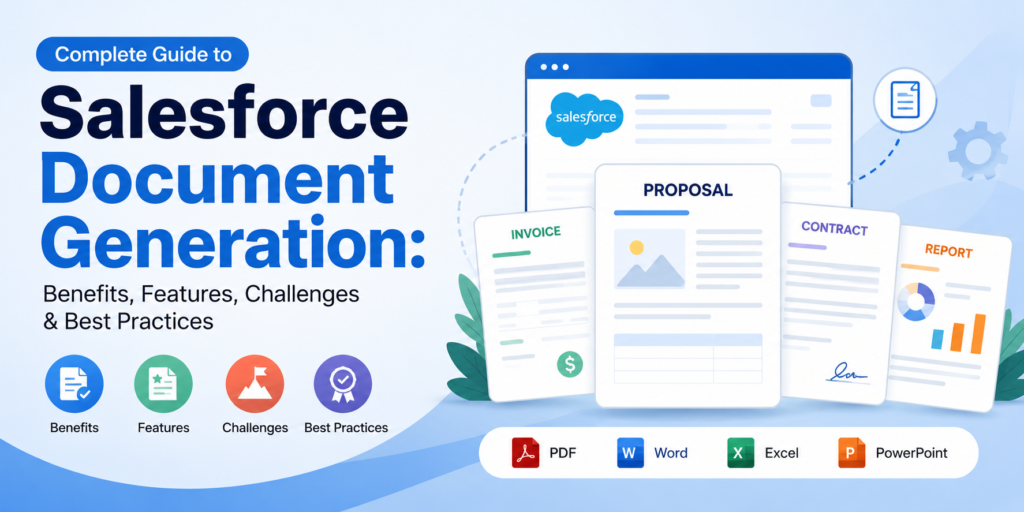
Salesforce helps organizations manage customer data, sales processes, service operations, and business workflows in one place. However, many teams still handle an important part of their daily work outside Salesforce: creating documents.
Quotes, proposals, contracts, invoices, reports, presentations, and other business documents are often created by exporting Salesforce data, copying it into templates, formatting the content, and sending it for review. This process takes time and can introduce errors.
Salesforce document generation addresses this challenge by automatically combining Salesforce data with predefined templates to create accurate, professional documents.
What Is Salesforce Document Generation?
Salesforce document generation is the process of creating documents automatically by merging information stored in Salesforce with predefined templates.
Instead of manually transferring CRM data into Word, Excel, PowerPoint, or PDF files, users can generate documents directly from Salesforce records.
For example, a sales representative can generate a proposal from an Opportunity record using customer details, products, pricing, and other related information. Similarly, finance teams can generate invoices, while legal teams can create agreements using approved templates.
A document generation platform such as Docs Made Easy can help organizations create documents in formats including PDF, Word, Excel, and PowerPoint while using Salesforce data as the source.
Why Is Salesforce Document Generation Important?
As organizations increase their reliance on Salesforce, manually creating documents can become a significant source of repetitive work.
Document generation helps simplify this process by connecting customer data with standardized templates and automated workflows.
1. Reduces Manual Work
Creating a document manually usually involves several steps:
- Finding the correct Salesforce record
- Exporting or copying information
- Opening a document template
- Entering customer details
- Formatting the document
- Reviewing the information
- Saving and sending the final file
Automating these steps can significantly reduce repetitive administrative work.
Employees can generate documents using existing Salesforce information instead of repeatedly entering the same data.
2. Improves Data Accuracy
Manual data entry creates opportunities for mistakes.
An incorrect customer name, outdated address, wrong product quantity, or missing contract clause can lead to additional reviews and delays.
With automated document generation, information can be pulled directly from Salesforce records. This reduces repetitive copying and helps ensure that documents reflect the information stored in the CRM.
However, data quality remains important. If Salesforce contains incorrect or incomplete information, the generated document can reflect those same problems.
3. Speeds Up Document Creation
Time-sensitive documents often need to be created quickly.
A proposal may need to reach a prospect the same day. An invoice may need to be generated immediately after an order. A contract may need to be prepared after an approval.
Automated generation allows users to create documents much faster than traditional manual processes.
4. Creates Consistent Templates
Organizations often have specific requirements for how documents should look and what information they should contain.
A centralized template system helps maintain consistency across proposals, quotes, contracts, invoices, reports, and other documents.
Instead of allowing every employee to create their own version, teams can use approved templates and standardized formatting.
5. Supports Scalable Workflows
Manual document creation becomes increasingly difficult as document volume grows.
Generating a few documents manually may be manageable. Generating hundreds of invoices, reports, proposals, or customer documents every month is a different challenge.
Bulk document generation and automated workflows allow organizations to process larger volumes without increasing repetitive administrative work at the same rate.
Salesforce Document Generation vs. Document Automation
Although the terms are closely related, Salesforce document generation and Salesforce document automation describe different parts of the process.
Document generation refers to creating a document by combining Salesforce data with a template.
Document automation refers to automatically initiating that generation process based on a specific event or workflow.
For example:
Opportunity approved → Generate proposal → Send for approval → Request signature → Store completed document
In this example, document generation is one step within a larger automated workflow.
Salesforce Flow can play an important role in these workflows by allowing document generation to be triggered by record updates, approvals, user actions, or other business conditions.
Key Features to Look for in a Salesforce Document Generation Tool
Choosing the right document generation solution requires more than checking whether it can create a PDF. Organizations should evaluate the complete document workflow.
No-Code or Low-Code Template Builder
A template builder should allow business users to create and maintain documents without requiring developers for every modification.
Useful capabilities include:
- Merge fields
- Related Salesforce records
- Tables and line items
- Conditional content
- Dynamic sections
- Images and branding
- Reusable templates
Multiple Output Formats
Different teams require different document formats.
A useful Salesforce document generation solution should support formats such as:
- Microsoft Word
- Excel
- PowerPoint
For example, a contract may require Word, a customer proposal may be delivered as PDF, and an internal report may be created in Excel.
Conditional Logic
Not every document should contain the same information.
Conditional logic allows templates to display or hide content depending on Salesforce data.
For example, a document could show different terms based on customer type, region, product category, opportunity value, or other record information.
Salesforce Flow Integration
Integration with Salesforce Flow can turn document creation into an automated process.
Documents can be generated when specific conditions are met, reducing the need for users to manually initiate every document.
This can be particularly useful for:
- Approved quotes
- New customer onboarding
- Renewals
- Invoices
- Contracts
- Certificates
- Customer reports
Bulk Document Generation
Organizations that generate large numbers of documents should consider bulk generation capabilities.
Instead of opening individual records and creating documents one at a time, users can process multiple Salesforce records together.
This can save significant time for recurring document-heavy processes.
Security and Compliance
Generated documents may contain confidential customer, financial, contractual, or operational information.
Before selecting a platform, organizations should review its security controls, access management, compliance certifications, audit capabilities, and document storage approach.
Common Salesforce Document Generation Challenges
Document generation can simplify workflows, but implementation still requires careful planning.
Complex Templates
Templates can become difficult to maintain when they contain numerous conditions, related records, dynamic sections, and formatting requirements.
Starting with a clear template structure and limiting unnecessary complexity can make long-term maintenance easier.
Poor Salesforce Data
Automation cannot compensate for inaccurate CRM data.
Before implementing document generation, organizations should review field completeness, duplicate records, outdated information, and data validation processes.
High-Volume Processing
Generating a large number of documents requires planning around processing, storage, naming conventions, and workflow design.
Organizations should test high-volume scenarios before moving automated processes into production.
Workflow Changes
Salesforce fields, objects, flows, approval processes, and business rules can change over time.
These changes may affect existing document templates. Regular testing helps ensure that automated documents continue to work as expected.
User Adoption
Even a capable document generation solution can be underused if employees find the process complicated.
A simple interface, clear workflows, reusable templates, and appropriate training can improve adoption.
How Salesforce Document Generation Fits Into Modern Workflows
Document generation is increasingly becoming part of larger digital workflows.
For example, an organization could connect CRM data, document generation, approval processes, eSignature, and document storage into one workflow:
Salesforce Record → Document Generation → Approval → eSignature → Storage
This approach reduces the number of disconnected systems and manual handoffs involved in completing a document.
The same principle applies to other workplace technology projects, including a Slack migration. Whether an organization is automating documents or moving communication data between platforms, successful technology adoption depends on clear workflows, reliable data, testing, and user-friendly processes.
How Docs Made Easy Supports Salesforce Document Generation
Docs Made Easy is a Salesforce document generation solution designed to help organizations create professional documents using Salesforce data and reusable templates.
The platform supports several document creation and automation capabilities, including:
- PDF, Word, Excel, and PowerPoint generation
- One-click document generation
- Bulk document generation
- Salesforce Flow automation
- Dynamic template IDs
- Merge field assistance
- Conditional document content
- Template-based generation
- Integration with Sign Made Easy for eSignatures
These capabilities can support document workflows across sales, finance, operations, legal, healthcare, manufacturing, education, and other industries.
The key advantage is the ability to connect document creation with the Salesforce data and workflows teams already use.
How to Choose the Right Salesforce Document Generation Tool
Before selecting a solution, consider the organization’s actual document requirements rather than choosing based only on the number of features.
Ask the following questions:
- How many documents are generated each month?
- Which Salesforce objects and related records need to be included?
- Which output formats are required?
- Can business users create and update templates?
- Is conditional logic required?
- Does the organization need Salesforce Flow automation?
- Will bulk document generation be necessary?
- What security and compliance requirements apply?
- Does the solution support eSignature workflows?
- Can it scale as document requirements increase?
Answering these questions can make it easier to compare Salesforce document generation tools and identify the solution that best fits existing workflows.
Final Thoughts
Salesforce document generation is more than a faster way to create PDFs. It connects CRM data, templates, automation, approvals, and document workflows into a more structured process.
By reducing manual data entry, standardizing documents, supporting automation, and enabling high-volume generation, document generation can help organizations improve efficiency while reducing avoidable errors.
The most effective approach is to start with high-value document workflows, establish reliable templates, validate Salesforce data, and gradually introduce automation.
For organizations looking for a Salesforce-focused solution, Docs Made Easy offers document generation, bulk processing, Flow automation, multiple output formats, and eSignature integration to help simplify document-heavy processes.