You ever spend a whole day flying a drone, get back to the office, and then stare at a mess of images you can’t do anything with? Yeah, me too. Happens more than people admit. The problem isn’t the drone. It’s what comes after. You can fly the fanciest machine out there, but if you don’t have decent mapping data software to stitch it all together, you’re just collecting expensive wallpaper. Nobody got time for that. Real work needs real structure. That’s why I stopped messing around with half-baked tools and started leaning into systems that actually process raw flight data into maps you can measure, click, and trust.
Wingtra Drones Changed How I Think About Aerial Mapping
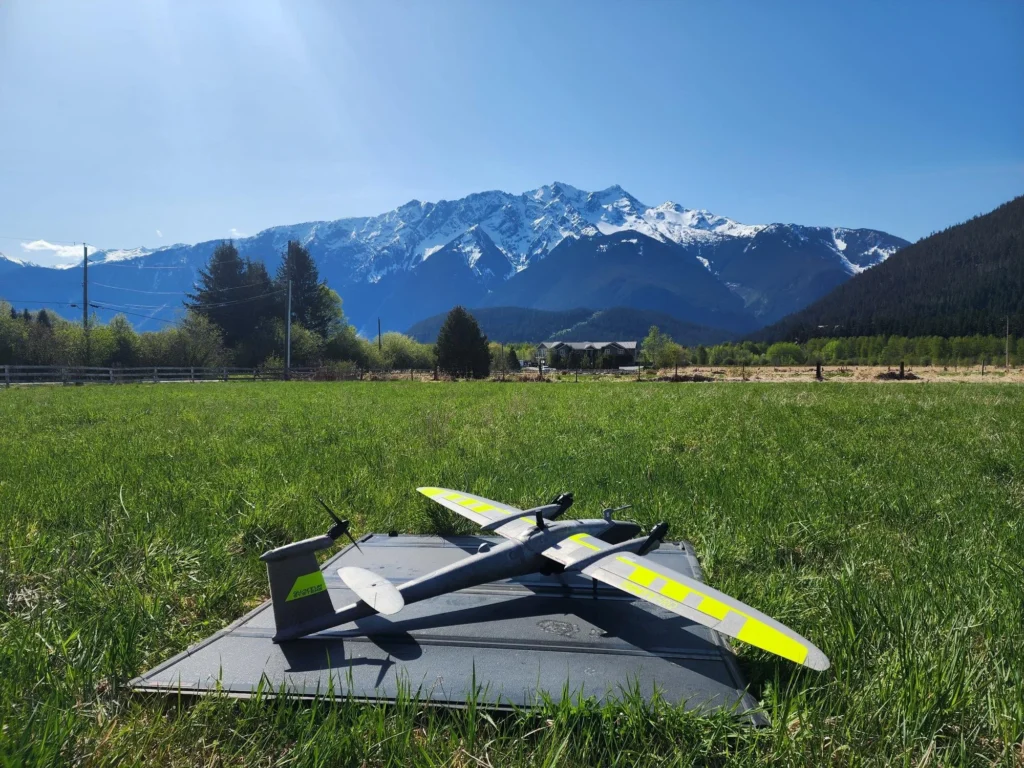
Look, I’ve flown a lot of things. Skydio mapping drones are cool for certain tight spots, and I won’t knock ‘em. But when I need serious coverage over rough terrain or a construction site that goes on forever? Wingtra drones are my go-to. They take off vertical like a helicopter, then flip to fixed-wing flight. That means longer time in the air and way more acres per battery. For aerial mapping that doesn’t cut corners, that’s a game changer. You cover more ground, get cleaner images, and spend less time swapping batteries in the mud. That’s a win.
Mapping Data Software Isn’t Glamorous – But Neither Is Being Wrong
Here’s the blunt truth. You can own the best drone on the planet, but without solid mapping data software, your outputs are just guesses. And guesses get people hurt or projects over budget. I’ve seen surveyors bring in reports that looked pretty but were off by two feet. Two feet! That’s a foundation problem, a retaining wall problem, a lawsuit problem. Good software catches those errors before they become expensive headaches. It aligns your images, corrects for distortion, and spits out orthomosaics, elevation models, the whole package. Boring? Sure. Necessary? Absolutely.
When Drone Mapping Meets Real-World Messes
Let me tell you about a call I got last year. A sheriff’s department needed a fast map of a crashed vehicle scene spread across a hillside. Normal photos wouldn’t cut it. So we used drone mapping with a Wingtra drone, processed through proper software, and delivered a georeferenced map in under two hours. That’s where public safety drones earn their keep. It’s not about cool shots for social media. It’s about giving accident reconstruction teams and incident commanders something they can measure from a safe distance. The software does the heavy lifting so people don’t have to stand on slippery slopes with tape measures.
Security Drones and the Software That Makes Them Smart
Security drones get hyped up a lot. But here’s the part nobody talks about – a drone circling a perimeter isn’t that useful unless you can turn its video and images into a persistent map. That means feeding data into mapping data software that tracks changes over time. Did that treeline shift? Is that new vehicle parked where it shouldn’t be? Good software lets you overlay last week’s map on today’s flight and spot differences fast. Without that layer, you’re just watching live footage like a really expensive security camera. And that’s not smart. That’s just lazy.
The Ugly Reality of Processing Time
I’ll be honest. Some mapping data software is slower than molasses in January. You kick off a process, go grab lunch, come back, and it’s still at 40%. That drives me nuts. Especially when you’re on a deadline or the client is breathing down your neck. That’s why I look for software that plays nice with high-res outputs from Wingtra drones without choking. Fast processing isn’t a luxury anymore. It’s the difference between sending a report by 5 PM or explaining to a project manager why you need another morning. And nobody wants that conversation.
What to Look for When You’re Picking Your Own Stack
If you’re shopping around, don’t just grab the first tool that pops up. Test it on messy data – I mean real messy. Flights with variable lighting, some overlap issues, the kind of stuff that happens in the field when wind picks up or you’re rushing. Good mapping data software handles that gracefully. Also, check if it exports in formats your team actually uses (CAD, GIS, PDF with layers). Fancy outputs are useless if nobody can open them. And yeah, make sure it supports Wingtra drones natively. Some tools claim compatibility but then make you jump through hoops. Skip that noise.
Conclusion: Stop Overcomplicating What Should Be Simple
Here’s the bottom line. You don’t need a perfect setup. You need a working one. Pair reliable mapping data software with a tough, efficient drone like Wingtra drones, and you’ll stop wasting time on bad data. Whether you’re doing aerial mapping for a quarry, flying public safety drones for search and rescue, or running security drones along a pipeline, the formula stays the same. Fly clean. Process smart. Deliver fast. Everything else is just talking. So go test your tools today. If they slow you down or lie to you, dump them. Life’s too short for bad maps.