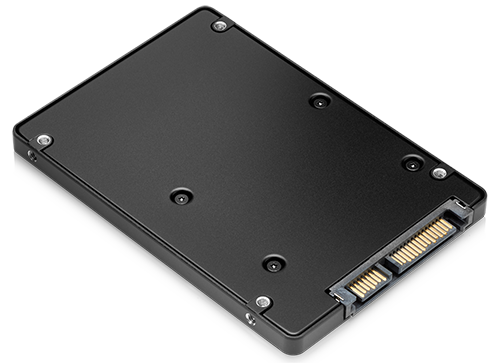
In modern IT hardware and computer hardware, the solid state disk (SSD) has become one of the most important components for both personal and professional computing. Unlike traditional hard drives, SSDs use flash memory to store data, resulting in faster read/write speeds, reduced power consumption, and greater reliability.
SSDs have revolutionized how computers operate, offering improvements in boot times, application loading, and overall system responsiveness. Today, external SSDs are also becoming increasingly popular, providing portable, high-speed storage solutions for professionals, gamers, and content creators.
How Solid State Disks Work
A solid state disk relies on NAND flash memory to store data, unlike spinning disks in conventional hard drives (HDDs). This allows computer hardware to access files almost instantly. Without moving parts, SSDs are less prone to mechanical failure, making them more durable and reliable than traditional storage devices.
In IT hardware, the speed of SSDs significantly improves system performance, especially when handling large datasets, multitasking, or running heavy software applications. Their low latency ensures smooth operation, even under demanding workloads.
Advantages of Using Solid State Disks
Speed and Performance
One of the primary advantages of a solid state disk is speed. SSDs drastically reduce boot times and enable applications to load in seconds. This is particularly beneficial for modern computer hardware that runs resource-intensive software such as video editing tools, CAD applications, and large databases.
Durability and Reliability
Since SSDs have no moving parts, they are more durable than traditional HDDs. IT hardware systems equipped with SSDs experience fewer mechanical failures, making these devices ideal for laptops, portable devices, and external storage solutions.
Energy Efficiency
SSDs consume less power than conventional hard drives, which is important for laptops and mobile computing devices. Lower energy usage not only extends battery life but also reduces heat generation, contributing to a more stable computer hardware environment.
Types of Solid State Disks
Internal SSDs
Internal SSDs are installed directly inside desktops or laptops. These solid state disks significantly enhance the performance of computer hardware, allowing faster booting, seamless multitasking, and quick access to large files.
External SSDs
External SSDs provide the same high-speed performance as internal SSDs while offering portability. They are widely used in IT hardware for backups, file transfers, and data storage on the go. External SSDs with USB-C or Thunderbolt interfaces can achieve speeds that rival internal drives, making them a popular choice for professionals.
NVMe SSDs
NVMe (Non-Volatile Memory Express) SSDs connect directly to the PCIe bus, providing even faster data transfer speeds than SATA-based SSDs. These solid state disks are ideal for high-performance desktops, gaming PCs, and enterprise computer hardware applications.
Choosing the Right Solid State Disk
When selecting a solid state disk for your IT hardware or computer hardware, consider these factors:
-
Capacity: SSDs are available in sizes from 128GB to several terabytes.
-
Interface: SATA vs. NVMe; NVMe is faster but slightly more expensive.
-
Form Factor: 2.5-inch, M.2, or PCIe; compatibility depends on your device.
-
External SSD vs. Internal SSD: Consider if portability is required.
Choosing the right SSD ensures optimal performance and longevity for your system, whether it’s a personal computer, workstation, or server.
Solid State Disk in Modern IT Hardware
In IT hardware environments, SSDs are crucial for speed, reliability, and efficiency. Enterprises use SSDs in servers, cloud storage systems, and virtualized environments to handle large-scale data processing and minimize downtime.
Even for home users, upgrading to an SSD can dramatically improve the performance of computer hardware, making multitasking faster and reducing system lag. With the rise of external SSDs, users can now enjoy high-speed storage outside the computer chassis, ideal for backup and portability.
Benefits of External SSDs
External SSDs provide a combination of speed and portability that traditional external HDDs cannot match. These drives are compact, lightweight, and ideal for IT hardware setups where mobility is required. Professionals use external SSDs for:
-
Fast file transfers between computers
-
Secure data backup and recovery
-
Expanding storage without opening the system
For creative professionals, external SSDs also enable editing directly from the drive, eliminating the need for large internal storage.
Solid State Disk vs. Hard Disk Drive
Comparing SSDs with HDDs highlights why solid state disks are becoming the standard in computer hardware:
| Feature | SSD | HDD |
|---|---|---|
| Speed | High (fast boot & access) | Moderate |
| Durability | Very high | Medium |
| Energy Consumption | Low | Higher |
| Noise | Silent | Audible spinning |
| Price | Higher per GB | Lower per GB |
This comparison demonstrates that while SSDs may cost more, their advantages in speed, reliability, and power efficiency make them an essential component of modern IT hardware.
Applications of Solid State Disks
Gaming PCs
High-performance gaming systems rely on SSDs to load games faster and improve in-game performance. Computer hardware equipped with SSDs experiences lower load times, smoother textures, and quicker map loading.
Content Creation
Video editors, graphic designers, and 3D artists benefit from solid state disks when handling large files and rendering projects. SSDs reduce wait times and improve overall workflow efficiency.
Enterprise IT
Servers, cloud storage, and virtualized environments in enterprises rely on SSDs for fast read/write speeds and system reliability. IT hardware that uses SSDs can manage large volumes of data without latency issues.
Maintenance and Care for Solid State Disks
While SSDs are more durable than HDDs, proper care ensures maximum lifespan:
-
Avoid overfilling the drive to maintain speed
-
Keep firmware updated for performance and reliability
-
Use TRIM commands to optimize write performance
Following these practices helps maintain the performance of computer hardware and protects your valuable data.
Future of Solid State Disks
The future of solid state disks looks promising, with continuous improvements in capacity, speed, and durability. New technologies like 3D NAND, QLC memory, and PCIe Gen5 SSDs are pushing performance boundaries.
External SSDs are expected to become faster and more accessible, supporting mobile computing, high-resolution media editing, and professional IT infrastructures. As IT hardware evolves, SSDs will remain central to both consumer and enterprise computing.
Conclusion
In conclusion, the solid state disk has transformed IT hardware and computer hardware, providing unmatched speed, durability, and efficiency. Whether using internal SSDs for your PC or external SSDs for portable storage, investing in a high-quality SSD improves performance, reliability, and productivity.
From gamers and content creators to enterprise IT systems, solid state disks have become essential in modern computing. Their role in boosting speed, reducing energy consumption, and providing reliable storage ensures they will remain a key component in computer hardware for years to come.