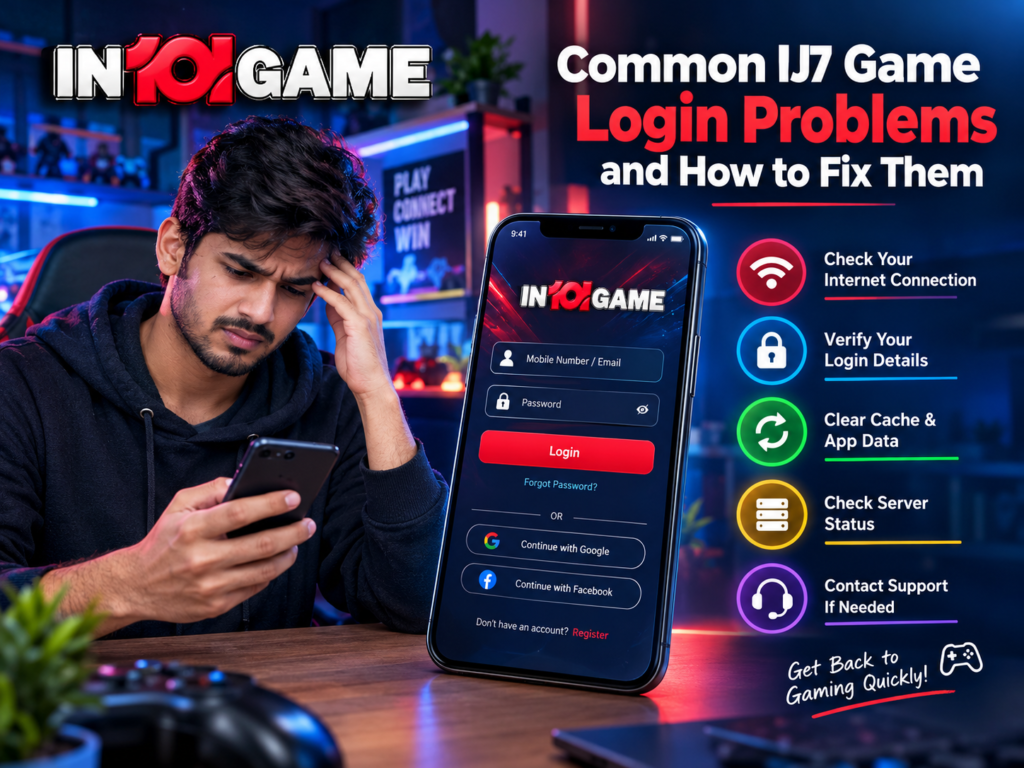
Troubleshooting common IJ7 Game login issues with smartphone login screens and simple solutions for a smoother gaming experience.
Logging into an online gaming platform should be straightforward, but users may sometimes experience login errors, forgotten passwords, verification issues, or problems loading an account. Understanding the possible causes can help users troubleshoot these issues more efficiently.
This guide explains common IJ7 Game login problems and practical steps to resolve them. Whether you are having trouble accessing your account, completing verification, or opening the platform on a mobile device, these troubleshooting tips can help you identify the next steps.
Understanding Common IJ7 Login Problems
IJ7 Login issues can occur for several reasons, including incorrect account details, an unstable internet connection, browser problems, outdated software, or temporary service interruptions. Identifying the specific issue is the first step toward finding a suitable solution.
Before trying advanced troubleshooting, check your internet connection, confirm that you are using the correct website or application, and look for any error message displayed on the screen.
1. Incorrect Username or Password
One of the most common login problems occurs when the entered username, phone number, email address, or password does not match the registered account information.
How to Fix Incorrect Login Details
- Carefully check the spelling of your username or registered contact information.
- Make sure Caps Lock is not enabled if your password is case-sensitive.
- Check for extra spaces before or after the entered information.
- Use the official password recovery option if you cannot remember your password.
- Avoid repeatedly guessing passwords, as this may trigger temporary account restrictions.
If the problem continues, contact the platform’s verified support channel for assistance with account recovery.
2. IJ7 Game Login Page Not Loading
Sometimes, users may be unable to open the IJ7 Game login page. The page might remain blank, load slowly, or display an error.
Possible Causes
- A weak or unstable internet connection.
- Temporary browser issues.
- Incorrect or outdated website addresses.
- Network restrictions or service interruptions.
- Temporary maintenance affecting the platform.
Steps to Resolve the Issue
First, open another trusted website to check whether your internet connection is working. If other websites load normally, refresh the login page and verify that you are visiting the correct address.
You can also try opening the page in another updated browser or restarting your device. If the service appears to be temporarily unavailable, wait a while before trying again.
Do not enter account credentials on unfamiliar websites that imitate a login page.
3. Forgotten IJ7 Game Password
Forgetting a password can prevent access to an existing account, especially when the password was saved a long time ago.
How to Recover Your Password
- Open the verified IJ7 Game login page.
- Look for a password recovery or “Forgot Password” option, if available.
- Follow the instructions provided by the platform.
- Complete any required identity or account verification.
- Create a strong, unique password if a reset is permitted.
Never share your password or verification code with another person. If no recovery option is available, contact verified platform support rather than relying on unofficial recovery services.
4. IJ7 Registration or Account Verification Problems
Some users may experience login difficulties because their account registration or verification process has not been completed successfully.
Common Reasons for Verification Errors
- Incorrect registration information.
- An expired verification code.
- Delays in receiving a code.
- An unsupported or incorrectly entered contact detail.
- Temporary technical issues.
Troubleshooting Verification Problems
Check that the registered contact information is correct and wait briefly before requesting another code. If you receive a new code, use the most recent valid one according to the platform’s instructions.
Avoid making multiple accounts to bypass verification problems. If your registration remains incomplete, contact the platform’s verified support service for guidance.
5. IJ7 Game Login Not Working on Android
Mobile users may encounter login problems because of browser settings, network interruptions, device compatibility, or application errors.
How to Troubleshoot Android Login Issues
- Restart your phone and check the internet connection.
- Update your browser or application through a trusted source, if an update is available.
- Check whether your device has sufficient free storage.
- If using a browser, try opening the verified login page in another supported browser.
- If using an installed application, check its settings and available troubleshooting options.
If the application repeatedly crashes or displays unexpected security warnings, avoid installing replacement files from unknown sources.
6. IJ7 Login Errors Caused by Internet Connectivity
A slow or interrupted connection can prevent a login request from reaching the platform successfully.
Practical Solutions
Check whether Wi-Fi or mobile data is working properly. If the connection is unstable, try a different trusted network. You can also restart your router or toggle your phone’s network connection.
If you use a VPN or proxy, check whether it is interfering with the connection. Only change these settings when appropriate and consistent with the platform’s rules.
Once your connection is stable, reopen the login page and try again.
7. Account Temporarily Locked or Access Restricted
Some platforms temporarily restrict account access after repeated unsuccessful login attempts or when suspicious activity is detected.
If you see an account-lock message, stop repeatedly submitting login attempts. Follow any instructions displayed by the platform and allow the stated waiting period to pass.
If you believe the restriction is incorrect, contact verified support. Do not try to bypass account protections by creating duplicate accounts or using another person’s credentials.
8. Browser Cache and Cookie Problems
Stored browser data can occasionally interfere with page loading, sessions, or login forms.
How to Clear Browser Data
- Open your browser’s settings.
- Find the privacy or browsing-data section.
- Select the appropriate cached files and, if necessary, cookies for the affected website.
- Clear the selected data.
- Reopen the verified login page and try again.
Clearing cookies may sign you out of websites, so make sure you know your account recovery details before proceeding. You can also test the page in a private browsing window to see whether browser data is contributing to the problem.
9. IJ7 Game Login Problems After an Update
An application or browser update may sometimes change compatibility or expose an existing configuration problem.
If login stops working after an update, restart the device, check your internet connection, and confirm that the installed version is from a trusted source.
If you use the browser version, try an updated supported browser. If the issue persists, check for verified service announcements or contact platform support.
Avoid downloading modified applications or unofficial updates that claim to bypass login restrictions.
10. How to Keep Your IJ7 Game Account Secure
Login troubleshooting should always go hand in hand with account security. Before entering your credentials, verify the website address and make sure the connection is secure.
Follow these basic practices:
- Use a unique password that you do not reuse on other websites.
- Never share passwords or one-time verification codes.
- Avoid logging in on public or shared devices whenever possible.
- Sign out after using a shared device.
- Keep your browser and device software updated.
- Avoid suspicious messages that request your login credentials.
- Use only verified account recovery and support channels.
If you suspect that someone else has accessed your account, change your password through the verified service if possible and seek support immediately.
Frequently Asked Questions About IJ7 Login
Why can’t I log in to IJ7 Game?
Possible reasons include incorrect credentials, an unstable internet connection, incomplete verification, browser problems, or a temporary service interruption. Check the error message and troubleshoot the relevant issue.
What should I do if I forget my IJ7 Game password?
Look for the official password recovery option on the verified login page. Follow the available instructions or contact verified support if recovery is unavailable.
Why is the IJ7 login page not opening?
The problem may be related to your internet connection, browser settings, an incorrect website address, or temporary service availability. Check your connection and verify the address before trying again.
Can I fix IJ7 login issues on my phone?
Yes, many common mobile login problems can be investigated by restarting the device, checking connectivity, updating the browser, and reviewing application compatibility.
What should I do if my account is locked?
Follow the platform’s instructions for restoring access. If you cannot resolve the restriction, contact verified support rather than attempting to bypass security measures.
Is it safe to use third-party login or recovery websites?
Be cautious. Unofficial sites may collect personal information or login credentials. Use only verified access and recovery channels, and never share your password or verification codes.
Final Thoughts
Common IJ7 Game login problems can often be traced to incorrect account details, connection issues, browser settings, verification errors, or temporary service interruptions. By identifying the cause and following the appropriate troubleshooting steps, users can work toward restoring account access safely.
Always verify the website or application before entering personal information, use trusted recovery methods, and avoid unofficial services that promise instant access. If the issue continues after basic troubleshooting, contact the platform’s verified support channel for further assistance.